> For the complete documentation index, see [llms.txt](https://docs.mailtrap.io/llms.txt). Markdown versions of documentation pages are available by appending `.md` to page URLs; this page is available as [Markdown](https://docs.mailtrap.io/guides/integrations/retool/openapi.md).
# Retool OpenAPI
Retool allows you to create an OpenAPI resource to connect to REST APIs using OpenAPI specifications. OpenAPI resources are integrations that allow you to securely connect to external services (e.g., Mailtrap) and automatically populate fields, such as, for example, query. This removes the need for manual configuration and improves accuracy.
In this guide, you'll learn how to connect Mailtrap's email delivery services to Retool using this approach, which allows you to:
* **Send transactional emails**: Automate internal processes like approval workflows, or trigger observability alerts when metrics drop below thresholds.
* **Send bulk emails**: Distribute newsletters or send legal/compliance notifications to your entire user base.
* **Sync and manage contacts**: Add users to onboarding lists or update contact fields to trigger automated email sequences.
* **Manage suppressions**: Review bounced/unsubscribed addresses and remove resolved emails to resume communication.
{% hint style="info" %}
For the integration to work, you need to add and [verify your email sending domain](https://help.mailtrap.io/article/69-sending-domain-setup) since Mailtrap allows you to send emails only from a verified domain.
{% endhint %}
### How to configure a resource
In this section, we’ll show you how to configure [Retool resources](https://docs.retool.com/data-sources/quickstarts/resources), which can be re-used in [queries](https://docs.retool.com/queries/quickstart).
#### Step 1. Locate Mailtrap OpenAPI specifications
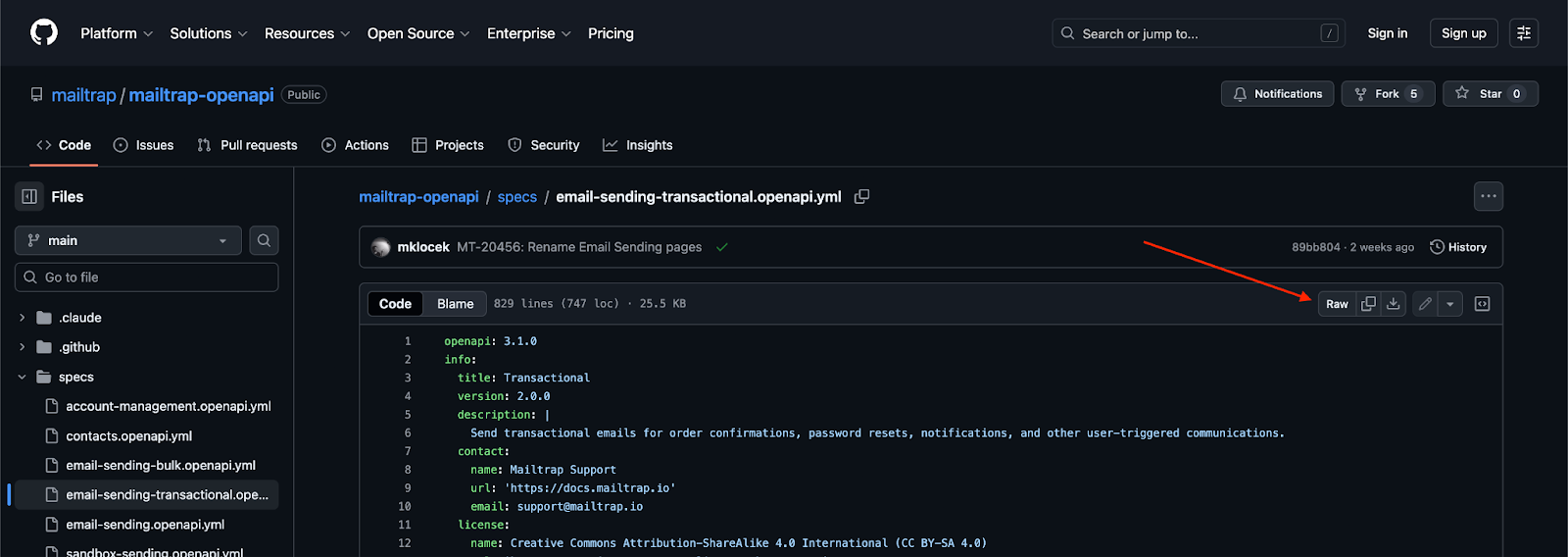
Mailtrap maintains its API definitions in a structured format. To implement this in Retool, you must use the YML specifications, which you can find under **specs** in [mailtrap/mailtrap-openapi](https://github.com/mailtrap/mailtrap-openapi/tree/main/specs).
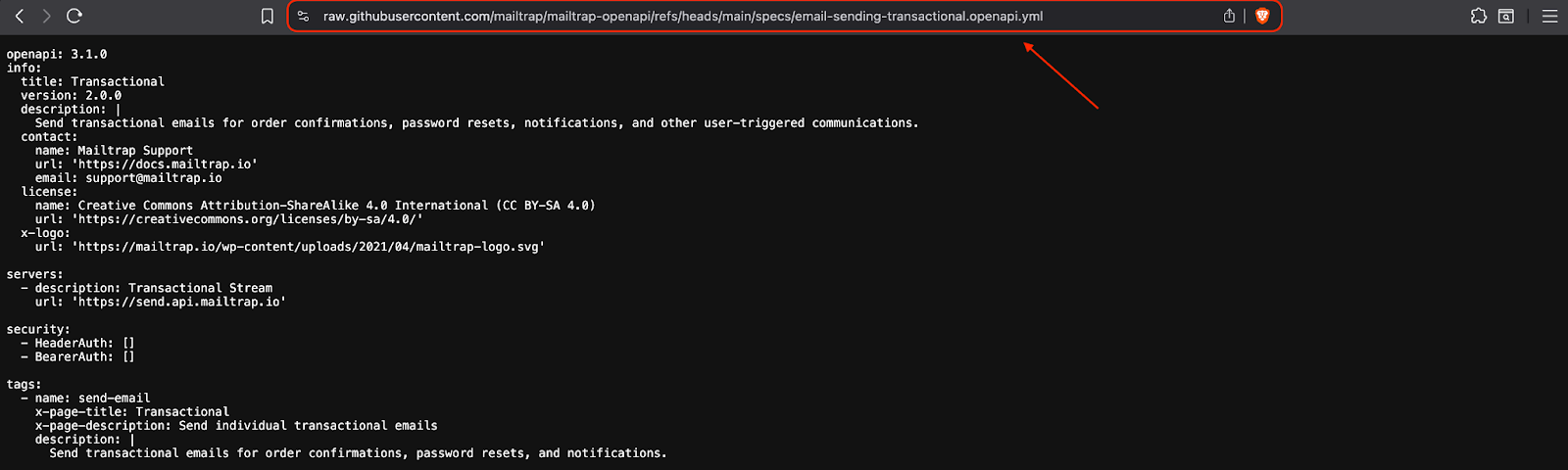
Once you choose your desired implementation, to ensure Retool can parse the schema correctly, be sure to click on **Raw**, so you can use the **Raw** URL of the YAML file.
Then, simply copy the URL:
### Step 2. Configure a Resource in Retool
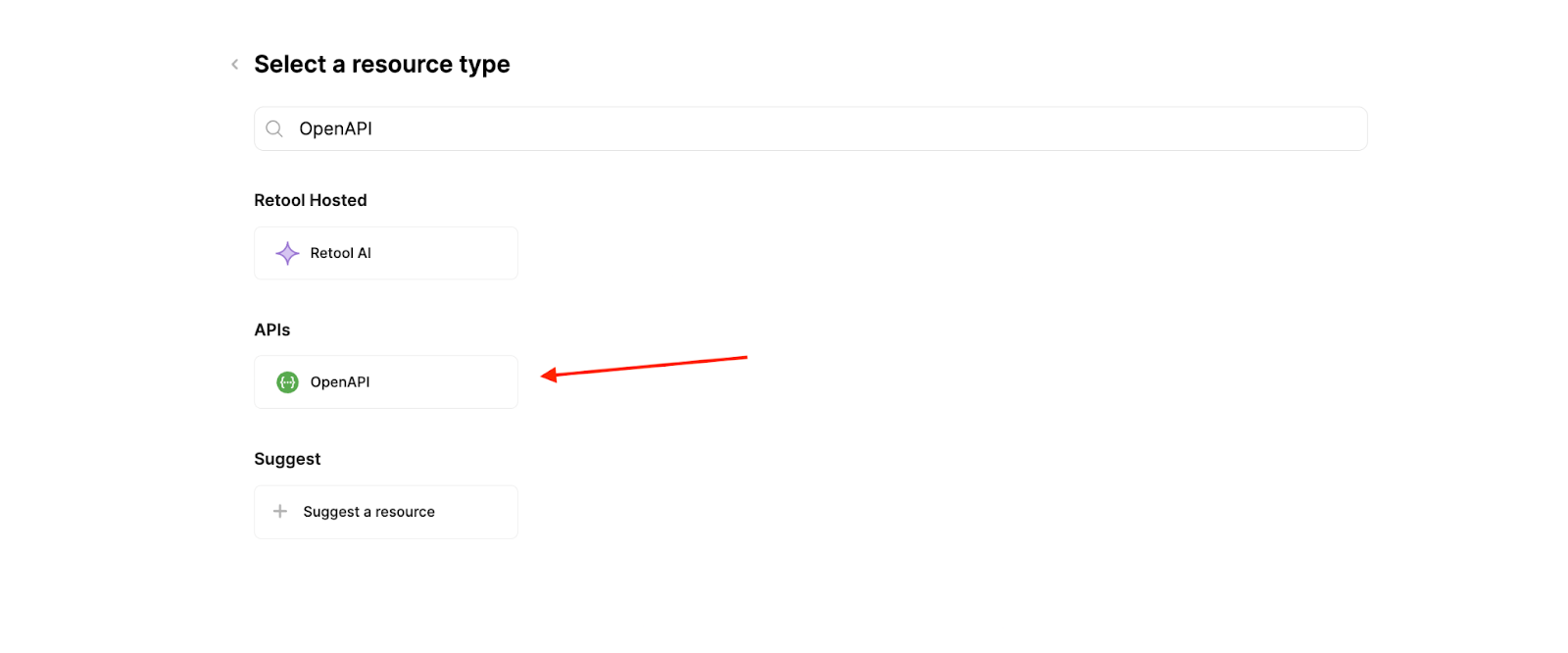
Navigate to the **Resources** tab in Retool and create a new **OpenAPI** resource.
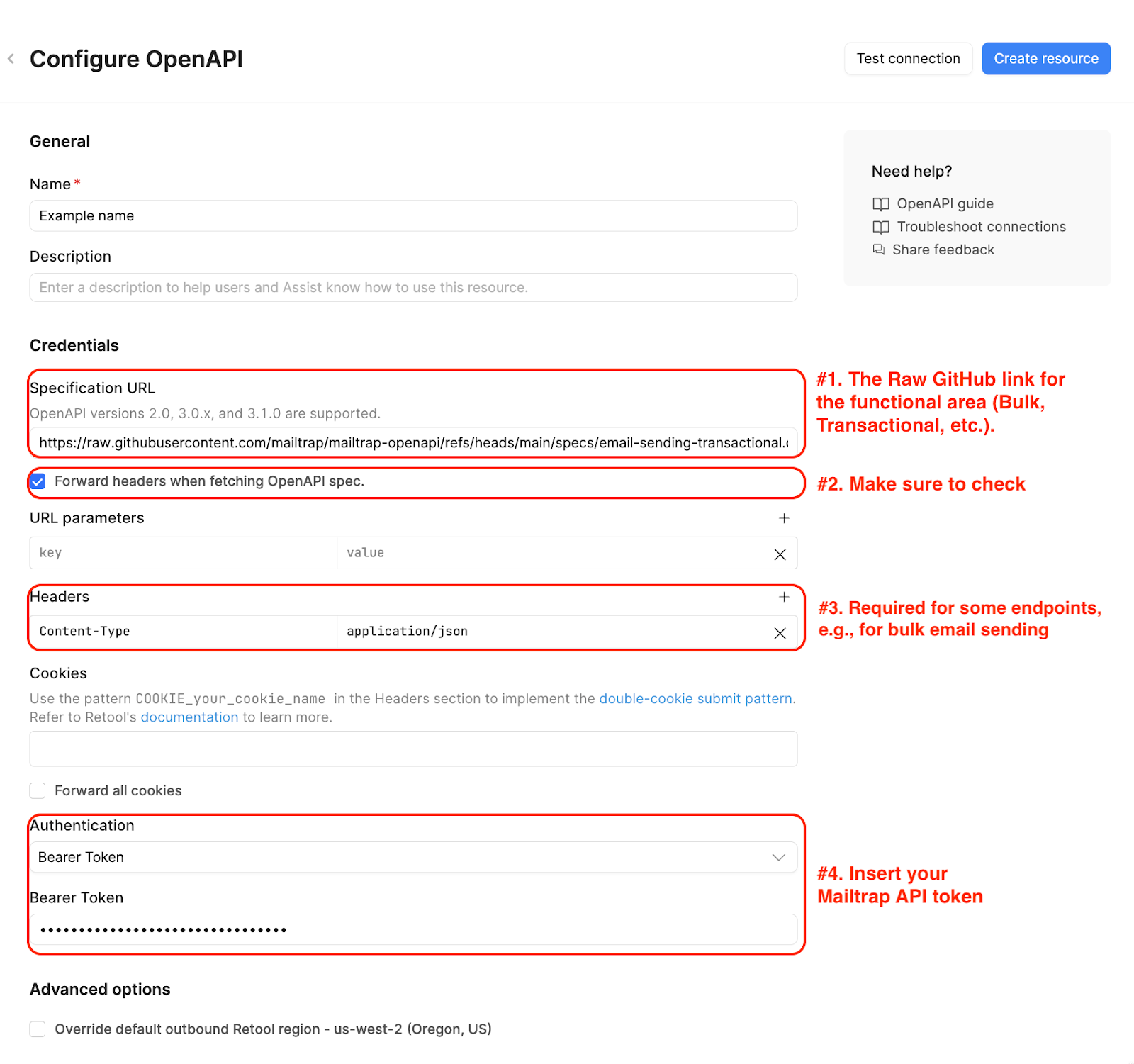
There, you will need to configure the following settings:
Once you insert the required details, make sure to click **Create resource**. Also note that you will also be able to re-use this Resource across your projects.
**Hint**: To make sure you’ve entered everything correctly before using the Resource in your Queries, click on **Test connection**. If the connection works, you should get the following message:
### How to configure queries
In the following section, we will show you some queries you can run with the OpenAPI resources connected to Mailtrap and possible use cases.
#### Transactional email sending
To send transactional emails, use the [email-sending-transactional.openapi.yml](https://github.com/mailtrap/mailtrap-openapi/blob/main/specs/email-sending-transactional.openapi.yml). Transactional emails are executed via the `POST /send` endpoint.
**Use cases**:
{% tabs %}
{% tab title="Internal process automation" %}
Trigger approval emails for vacation requests, hardware purchase requests, internal discount approvals, etc.
{% endtab %}
{% tab title="Observability alerts" %}
Automated notifications triggered by Retool workflows when specific metrics (MRR, revenue, or site traffic) drop below a defined threshold.
{% endtab %}
{% endtabs %}
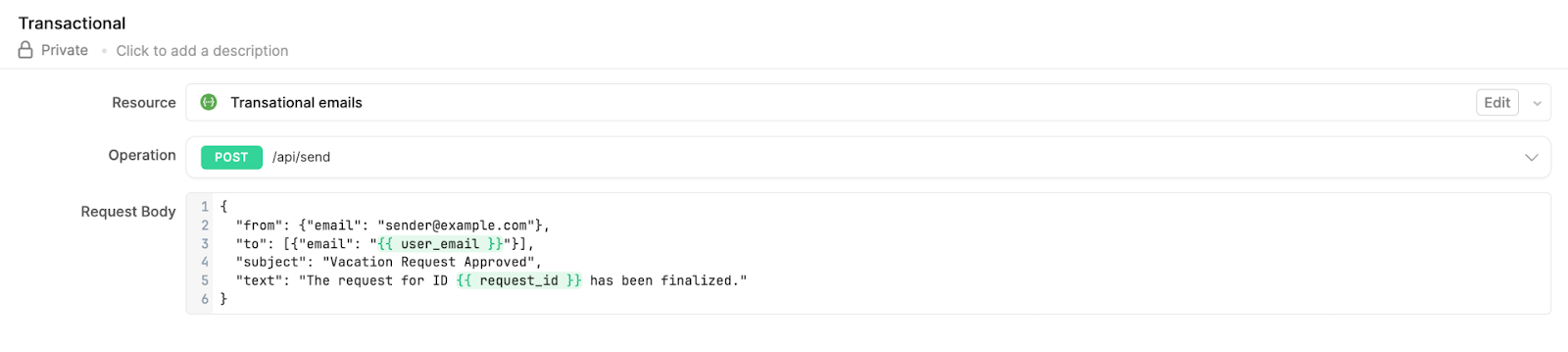
**Query implementation example**: Select the `POST /send` endpoint, use the following structure of the request body, and add dynamic variables into the payload using `{{ }}` syntax where necessary:
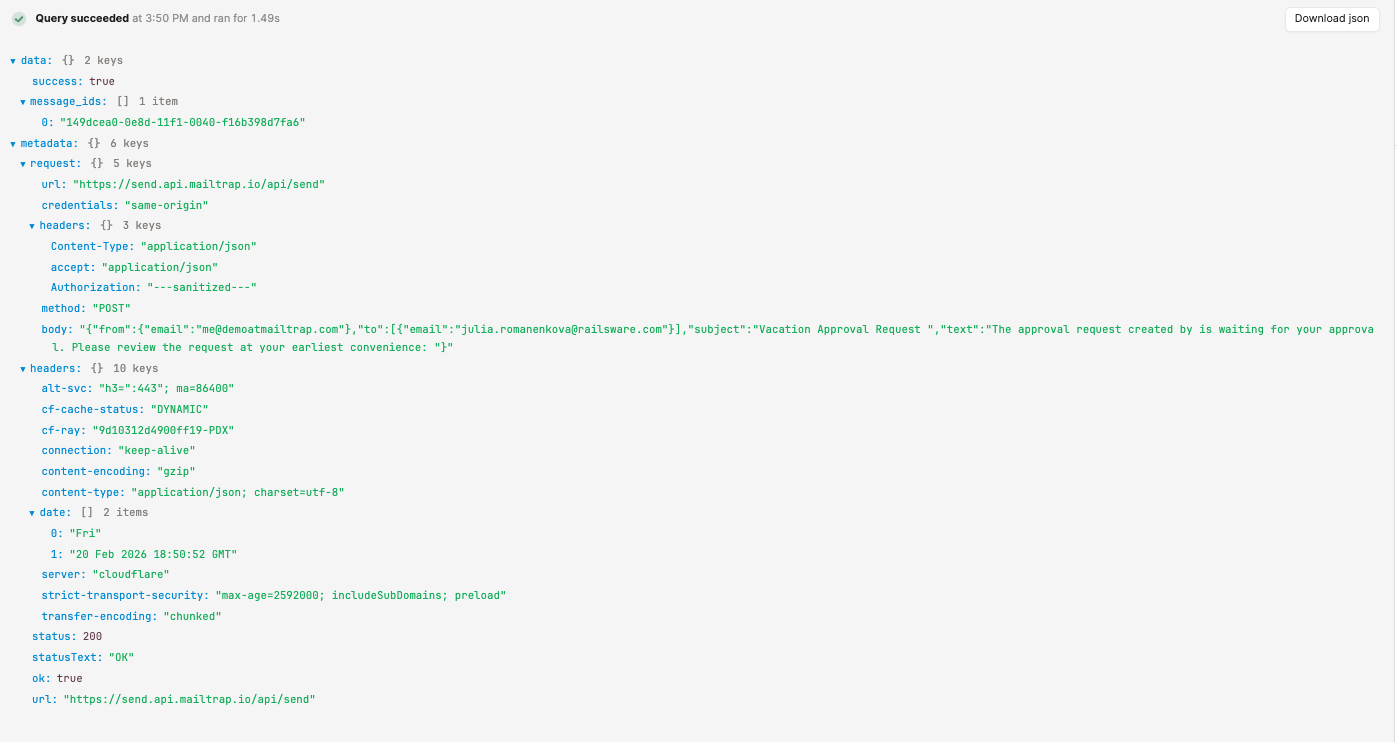
**Response**:
Example code you can copy for the request body:
```json
{
"from": {"email": "sender@example.com"},
"to": [{"email": "{{ user_email }}"}],
"subject": "Vacation Request Approved",
"text": "The request for ID {{ request_id }} has been finalized."
}
```
#### Bulk email sending
To send bulk emails, use the [email-sending-bulk.openapi.yml](https://github.com/mailtrap/mailtrap-openapi/blob/main/specs/email-sending-bulk.openapi.yml). `POST /bulk/send` endpoint is optimized for delivery of promotional or marketing emails to multiple recipients simultaneously through the [Bulk stream](https://docs.mailtrap.io/email-api-smtp/setup/bulk-stream).
**Use cases**:
{% tabs %}
{% tab title="Legal and compliance notifications" %}
Send mandatory updates regarding Terms of Service (ToS) changes, Privacy Policy updates to the entire user database, etc.
{% endtab %}
{% tab title="Newsletter distribution" %}
Trigger monthly or weekly updates to a broad list of subscribers.
{% endtab %}
{% endtabs %}
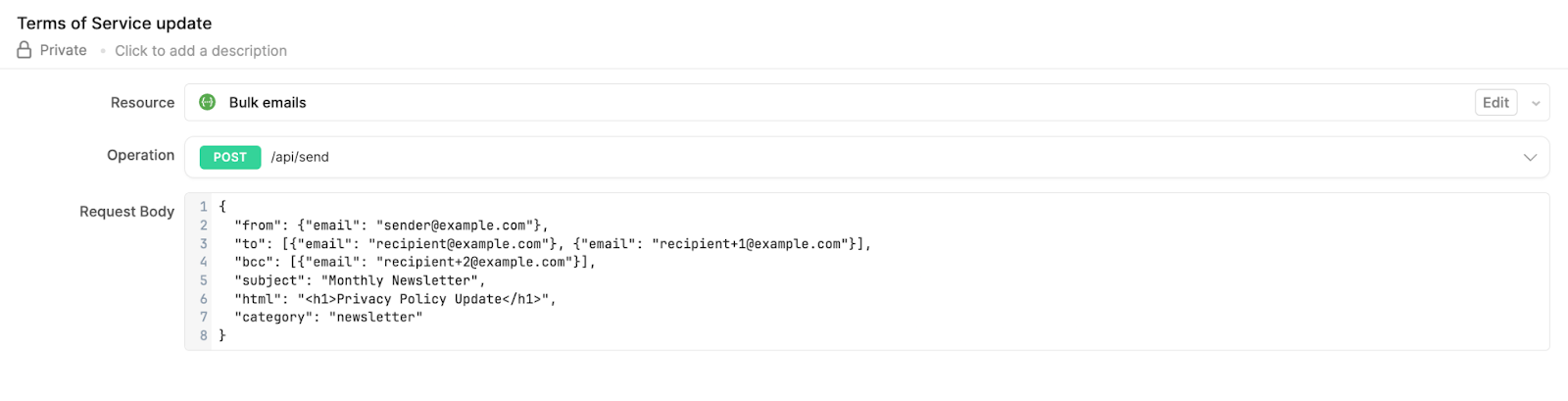
**Query implementation example**: Choose the `POST /bulk/send` endpoint and use a request body.
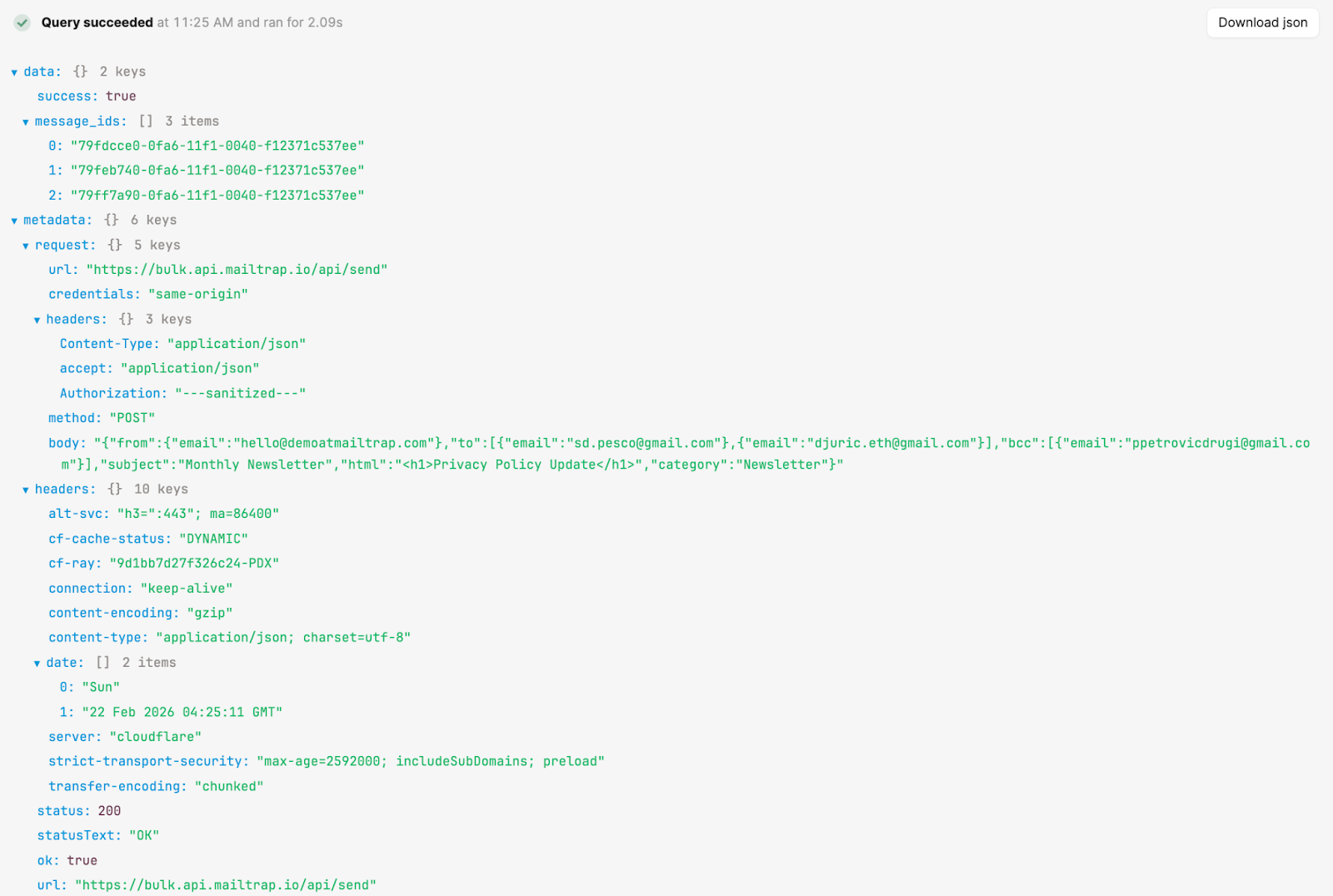
**Response**:
Example code you can use for the request body:
```json
{
"from": {"email": "sender@example.com"},
"to": [{"email": "recipient@example.com"}, {"email": "recipient+1@example.com"}],
"bcc": [{"email": "recipient+2@example.com"}],
"subject": "Monthly Newsletter",
"html": "
Privacy Policy Update
",
"category": "newsletter"
}
```
#### Contact synchronization and updates
To sync contacts from external databases or CRMs with Mailtrap or create, update, and manage contact lists, use the [contacts.openapi.yml](https://github.com/mailtrap/mailtrap-openapi/blob/main/specs/contacts.openapi.yml).
If used in combination with [Mailtrap Automation](https://docs.mailtrap.io/email-marketing/automations) feature, you can set up the query for:
{% tabs %}
{% tab title="User onboarding" %}
Once a new customer is added to a specific "Onboarding" contact list, the onboarding email sequence will be sent automatically.
{% endtab %}
{% tab title="Lifecycle triggers" %}
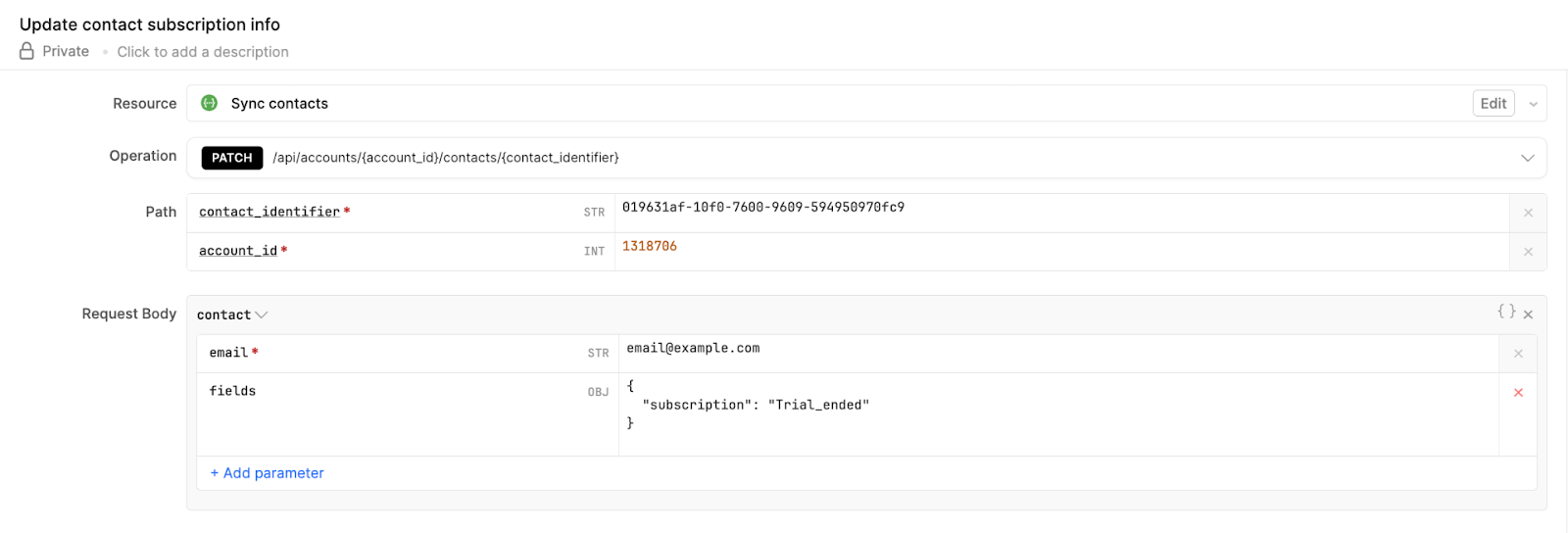
Update a contact field (e.g., `subscription_status: "trial_ended"`) to trigger automated Mailtrap sequences, such as a "Welcome" or "Nurture" email series.
{% endtab %}
{% endtabs %}
**Query implementation example**: Use the `PATCH` method with path parameters for `account_id` and `contact_identifier` to update specific metadata fields without overwriting the entire contact object.
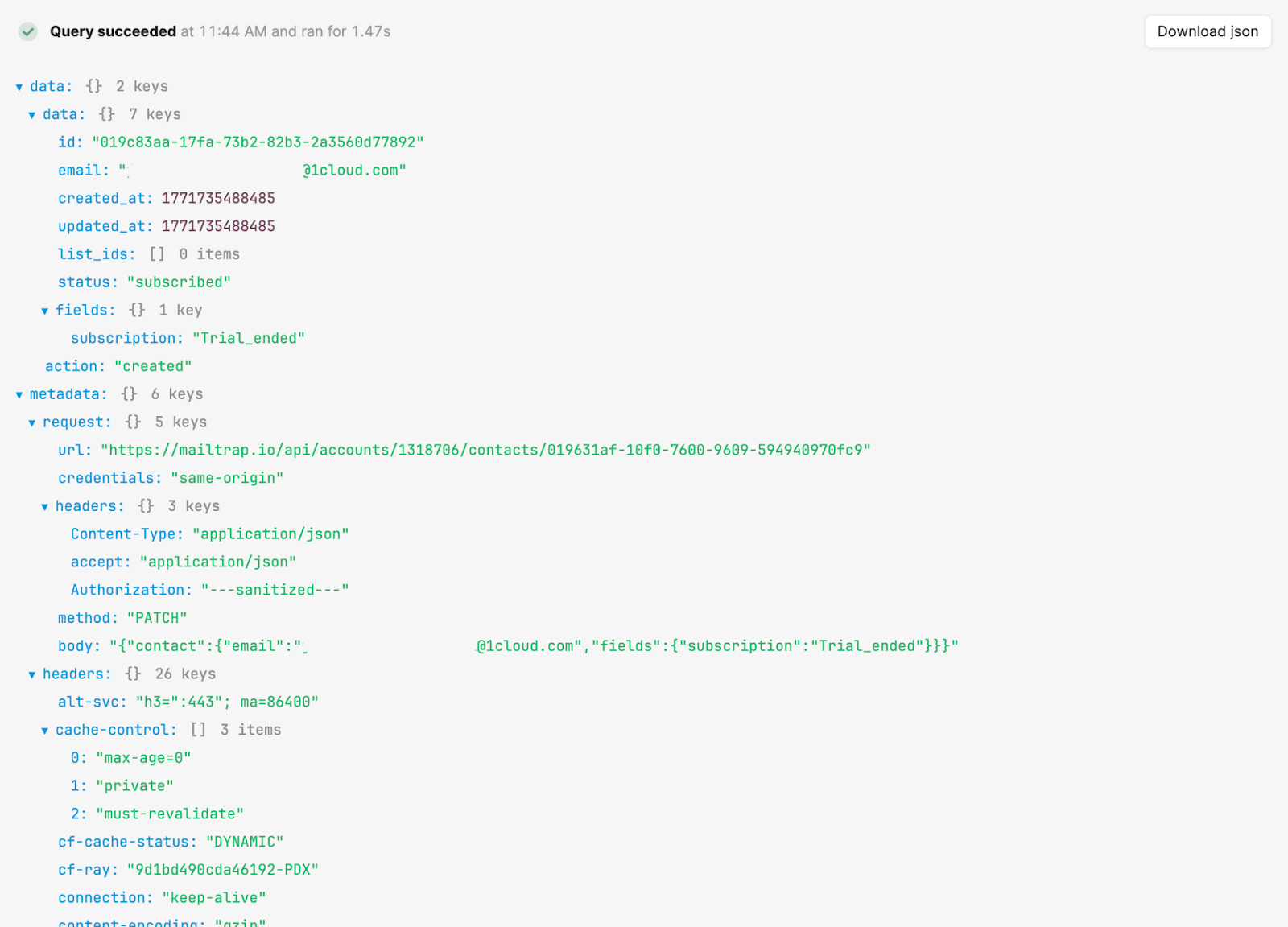
**Response**:
#### Suppression list management
To get a list of your suppressions or delete certain emails from your suppression list use the [account-management.openapi.yml](https://github.com/mailtrap/mailtrap-openapi/blob/main/specs/account-management.openapi.yml). It uses the `GET /suppressions` and `DELETE /suppressions/{id}` endpoints with which you can maintain email deliverability standards.
**Primary use cases**:
{% tabs %}
{% tab title="Contacts review" %}
Review the list of bounced or unsubscribed addresses to protect IP reputation.
{% endtab %}
{% tab title="List cleanup" %}
Remove a specific email from the suppression list once the underlying issue (e.g., a full inbox or temporary server error) has been resolved, allowing future communication to resume.
{% endtab %}
{% endtabs %}
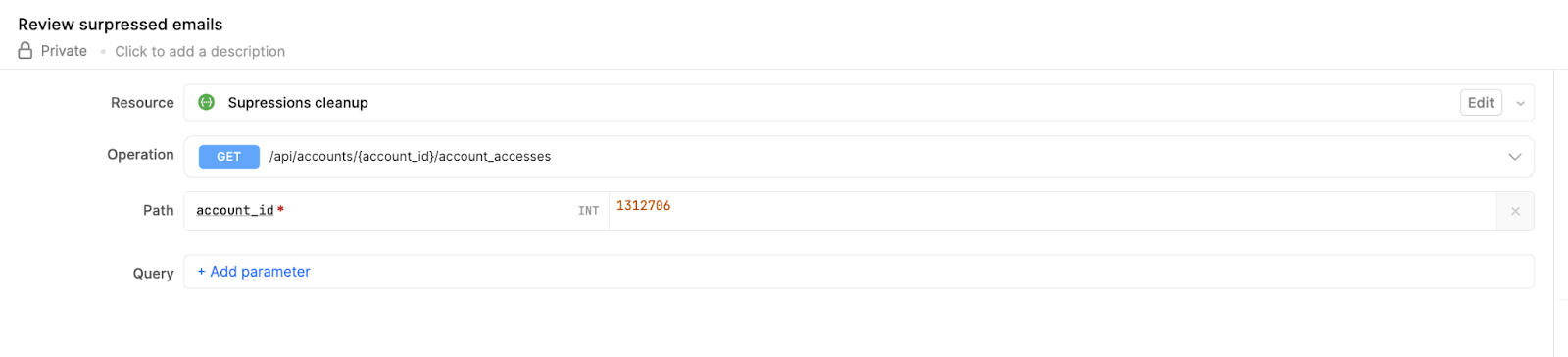
**Query implementation example**: If you were to use the query to get a list of emails in your suppressions list, use `GET /accounts/{account_id}/account_accesses`, and specify your Mailtrap account ID.
**Response**:
{% hint style="info" %}
Keep in mind that we take into account the suppressions for both transactional and bulk email sending.
{% endhint %}
---
# Agent Instructions
This documentation is published with GitBook. GitBook is the documentation platform designed so that both humans and AI agents can read, navigate, and reason over technical content effectively. Learn more at gitbook.com.
## Querying This Documentation
If you need additional information that is not directly available in this page, you can query the documentation by asking a question.
Perform an HTTP GET request on the following URL with the `ask` and `goal` query parameters:
```
GET https://docs.mailtrap.io/guides/integrations/retool/openapi.md?ask=&goal=
```
`ask` is the immediate question: it should be specific, self-contained, and written in natural language.
`goal` is what the user is ultimately trying to achieve, the reason they need the answer. Sharing it helps GitBook give you a better, more relevant answer. A goal is most helpful when it describes the outcome the user wants rather than restating the question. For example, with `ask=how do I create an API token`, a goal like `automate deployments from our CI pipeline` lets GitBook tailor the answer to that use case.
The response will contain a direct answer to the question and relevant excerpts and sources from the documentation.
Use this mechanism when the answer is not explicitly present in the current page, you need clarification or additional context, or you want to retrieve related documentation sections.