> For the complete documentation index, see [llms.txt](https://docs.mailtrap.io/llms.txt). Markdown versions of documentation pages are available by appending `.md` to page URLs; this page is available as [Markdown](https://docs.mailtrap.io/guides/ai-powered-integrations/base44.md).
# Base44
Base44 is an AI-powered platform that lets you turn any idea into a fully-functional custom app, without the need for any coding experience. In this guide, you’ll learn how to integrate it with Mailtrap and add email-sending capabilities to your Base44 projects.
**Note**: Mailtrap offers a free, 4000 email/month Email API and SMTP plan.
**Prerequisites**:
* A Base44 account and a project.
* A Mailtrap account for sending emails.
### Step 1. Add your Mailtrap credentials
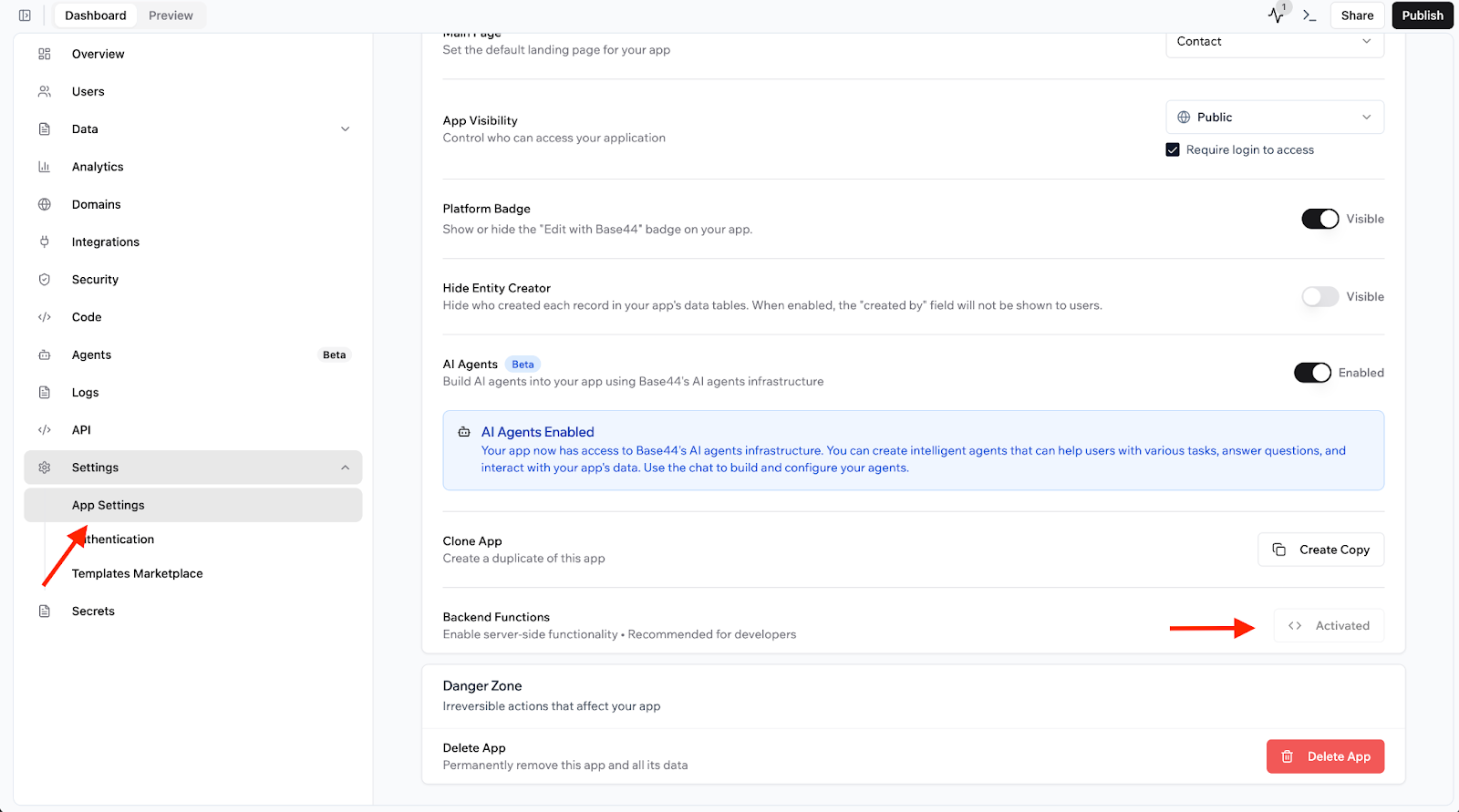
To insert your Mailtrap credentials, open **App Settings** and activate **Backend Functions**.
**Important**: This feature is only available to users subscribed to Base44 *Builder* plans and higher.
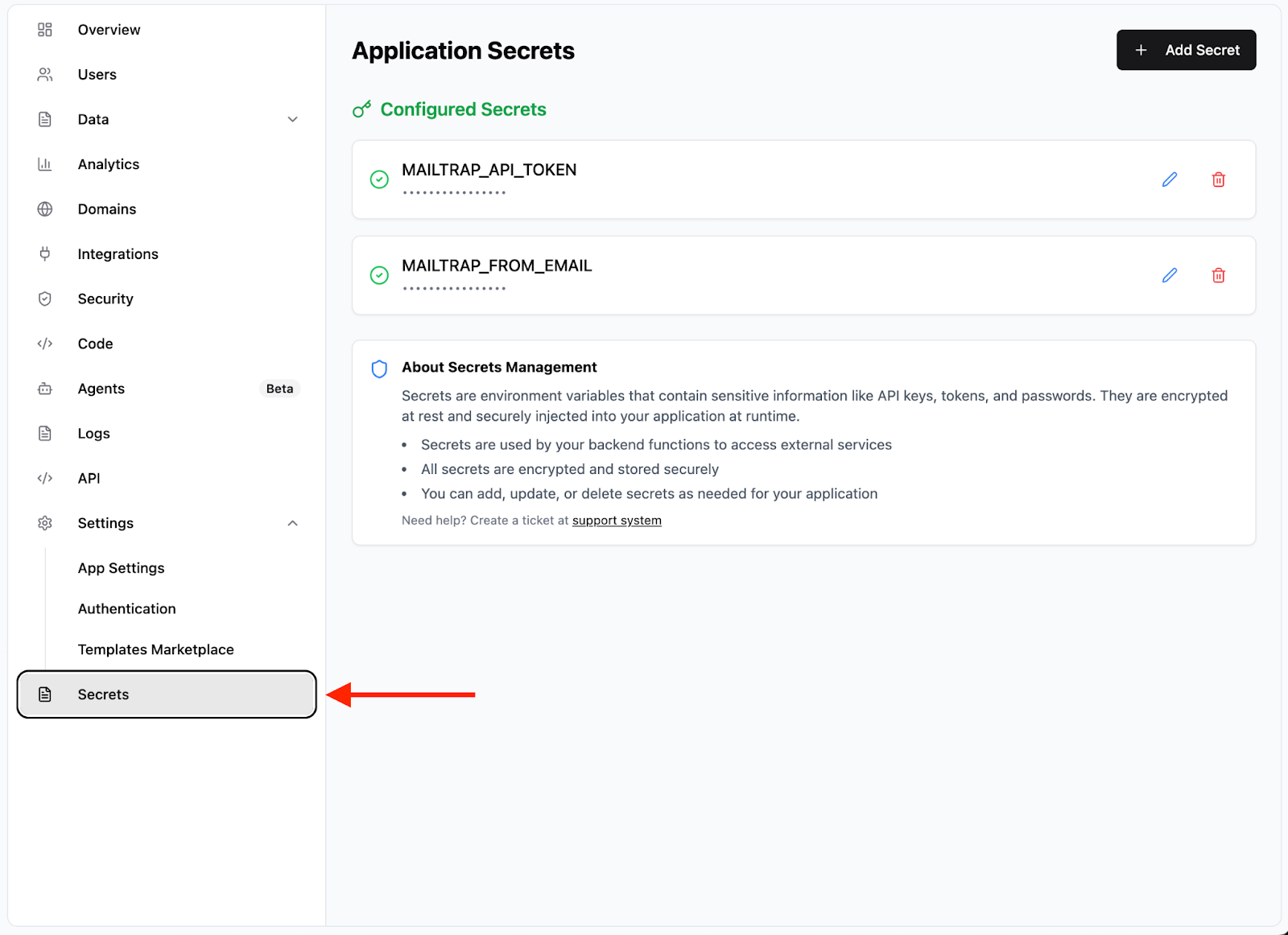
Next, click on the **Secrets** tab, which should show up after you activate **Backend Functions**.
In the **Secrets** tab, as in the screenshot above, add the following two variables:
* `MAILTRAP_API_TOKEN` – The [Mailtrap API token](https://docs.mailtrap.io/email-api-smtp/setup/api-tokens), which you can create at any time in your account.
* `MAILTRAP_FROM_EMAIL` – The email address with the verified Mailtrap sending domain you’ve added after creating an account.
Once you’re done, go back to the dashboard and tell the Base 44 AI you’ve added secrets with the Mailtrap credentials. For this, you can use a prompt such as, for example, this one:
> Please use Mailtrap email api for sending, I've added the required environment variables
### Step 2. Start sending emails
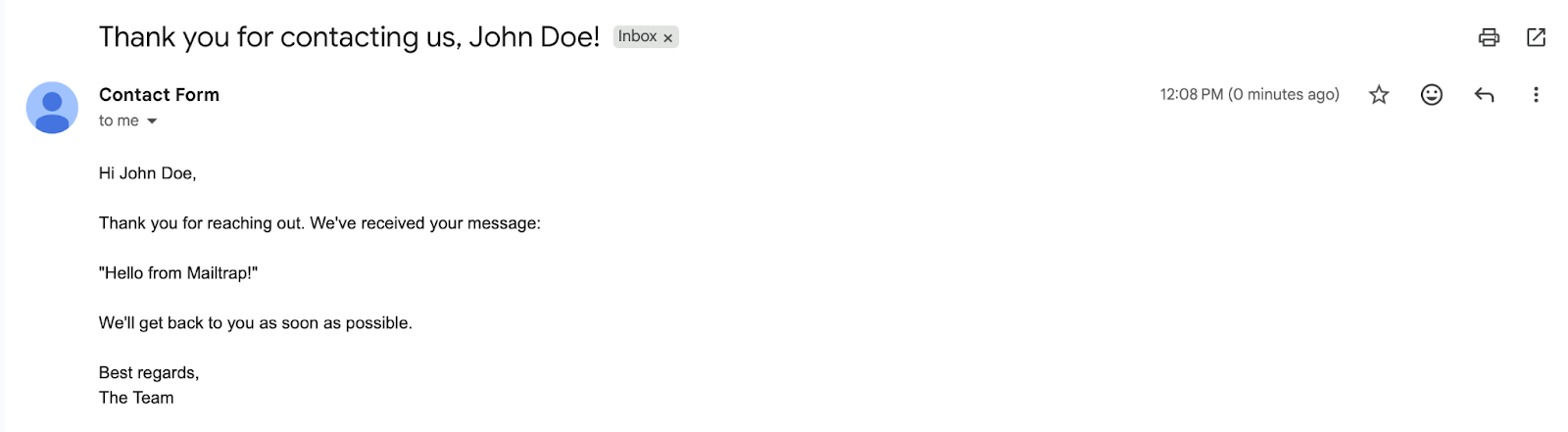
Finally, to test your configuration, trigger an action and send an email from your project. If you followed everything thus far, you should receive the email in your inbox in a few seconds. Here it is in a Gmail inbox I used as my `to` address:
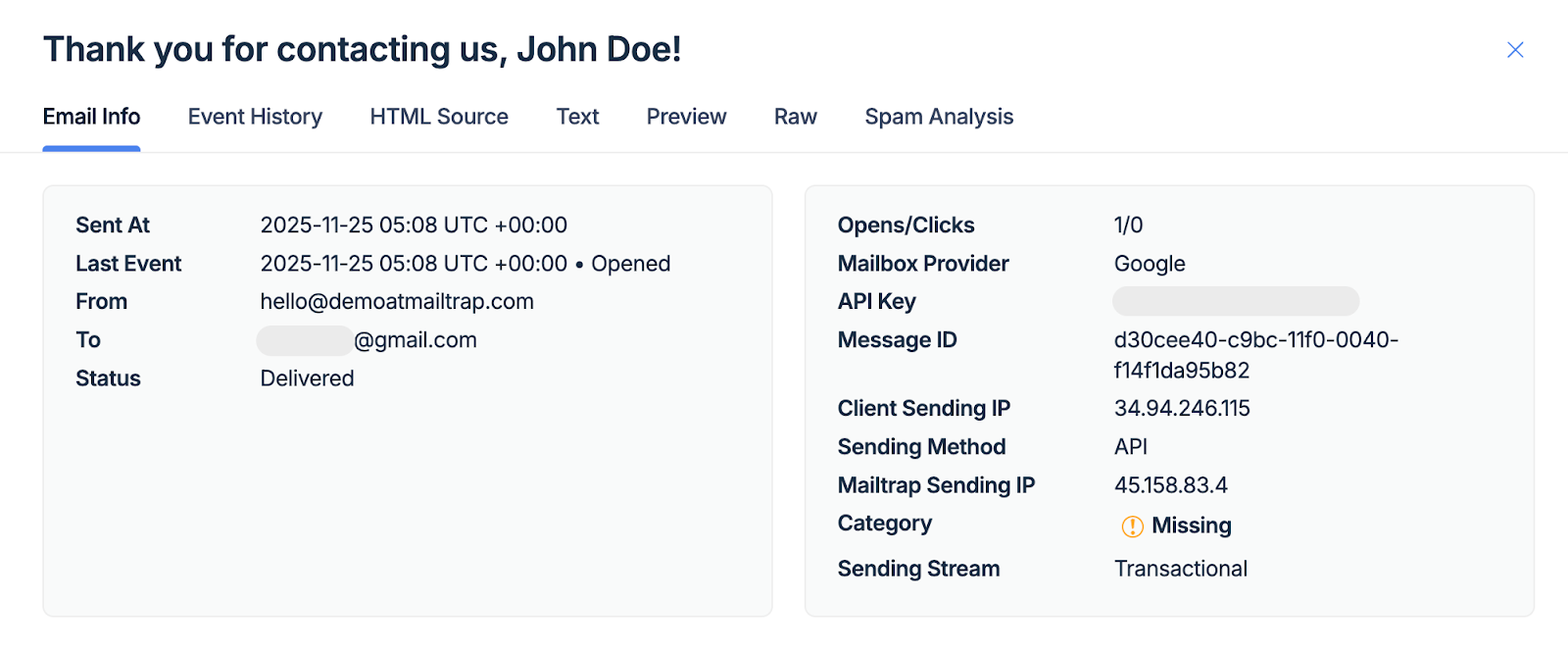
And here it is in the Mailtrap [Email Logs](https://docs.mailtrap.io/email-api-smtp/analytics/logs).
**Before you go**: If you plan on collecting email addresses for a list, you can connect your Base44 project with [Mailtrap Contacts](https://docs.mailtrap.io/email-marketing/contacts/overview) and store your addresses in the Mailtrap dashboard automatically. For reference, check out the official [Mailtrap Contacts API documentation](https://docs.mailtrap.io/developers/email-marketing/overview).
---
# Agent Instructions
This documentation is published with GitBook. GitBook is the documentation platform designed so that both humans and AI agents can read, navigate, and reason over technical content effectively. Learn more at gitbook.com.
## Querying This Documentation
If you need additional information that is not directly available in this page, you can query the documentation dynamically by asking a question.
Perform an HTTP GET request on the current page URL with the `ask` query parameter, and the optional `goal` query parameter:
```
GET https://docs.mailtrap.io/guides/ai-powered-integrations/base44.md?ask=&goal=
```
`ask` is the immediate question: it should be specific, self-contained, and written in natural language.
`goal` is optional and describes the broader end goal you are ultimately trying to accomplish on behalf of the user. GitBook uses it to tailor the answer towards what is most useful for that goal.
The response will contain a direct answer to the question and relevant excerpts and sources from the documentation.
Use this mechanism when the answer is not explicitly present in the current page, you need clarification or additional context, or you want to retrieve related documentation sections.