> For the complete documentation index, see [llms.txt](https://docs.mailtrap.io/llms.txt). Markdown versions of documentation pages are available by appending `.md` to page URLs; this page is available as [Markdown](https://docs.mailtrap.io/guides/integrations/n8n.md).
# N8N
Seamlessly integrate Mailtrap into your N8N workflows to automate email sending and contact management tasks without coding.
View on N8N Marketplace
## Overview
Mailtrap can be integrated into N8N workflows to automate email sending and contact management.
In this article, you'll learn how to:
* Install Mailtrap node and set up N8N
* Obtain Mailtrap API credentials
* Integrate N8N with Mailtrap
### N8N Cloud
If you are a user of n8n Cloud, you can have access to Mailtrap integration out of the box.
Just search for "Mailtrap" in the nodes.
### Local N8N setup
To install Mailtrap node, you can simply type in `n8n-nodes-mailtrap` under 'Enter npm package name' in Community Nodes, just like so:
Or, you can run use npm to install the node manually:
```
npm install n8n-nodes-mailtrap
```
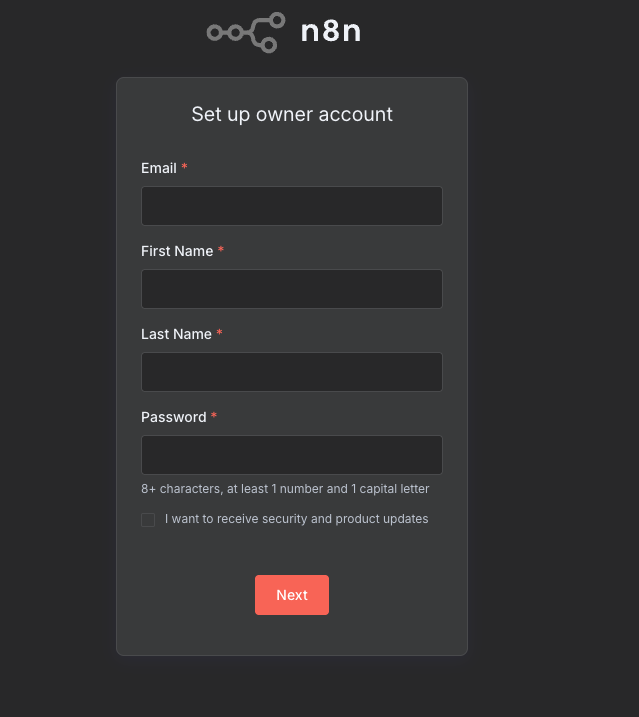
Next, simply [create a free N8N account](https://app.n8n.cloud/register):
### Obtain Mailtrap API credentials
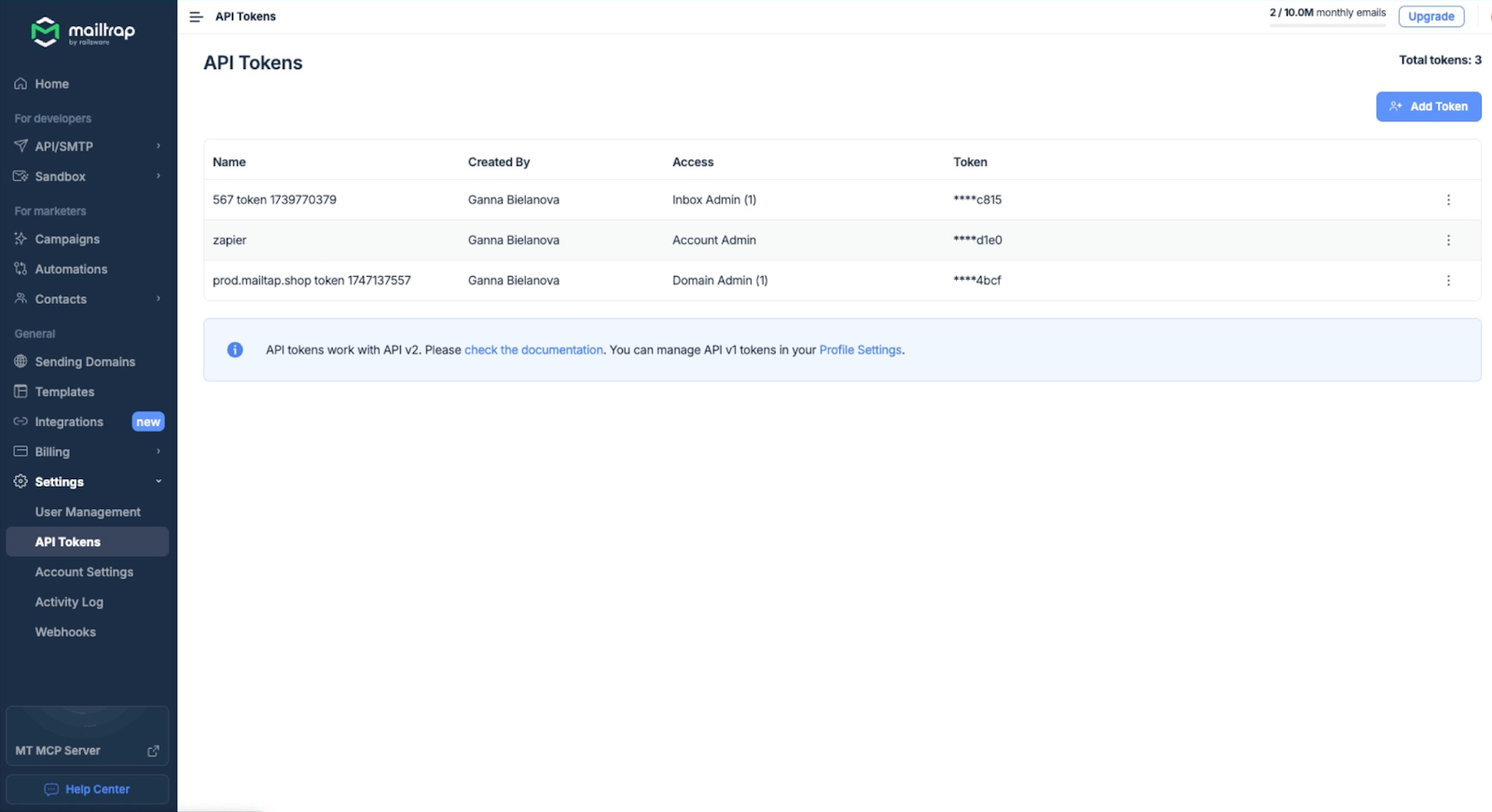
Whether you want to only create contacts or send/test emails via Mailtrap and N8N, you'll first need a Mailtrap API token and Mailtrap Account ID. To obtain one, follow these steps:
{% stepper %}
{% step %}
Go to **Settings** on the left side-bar menu, navigate to **API Tokens**, and click on **Add Token**.
{% endstep %}
{% step %}
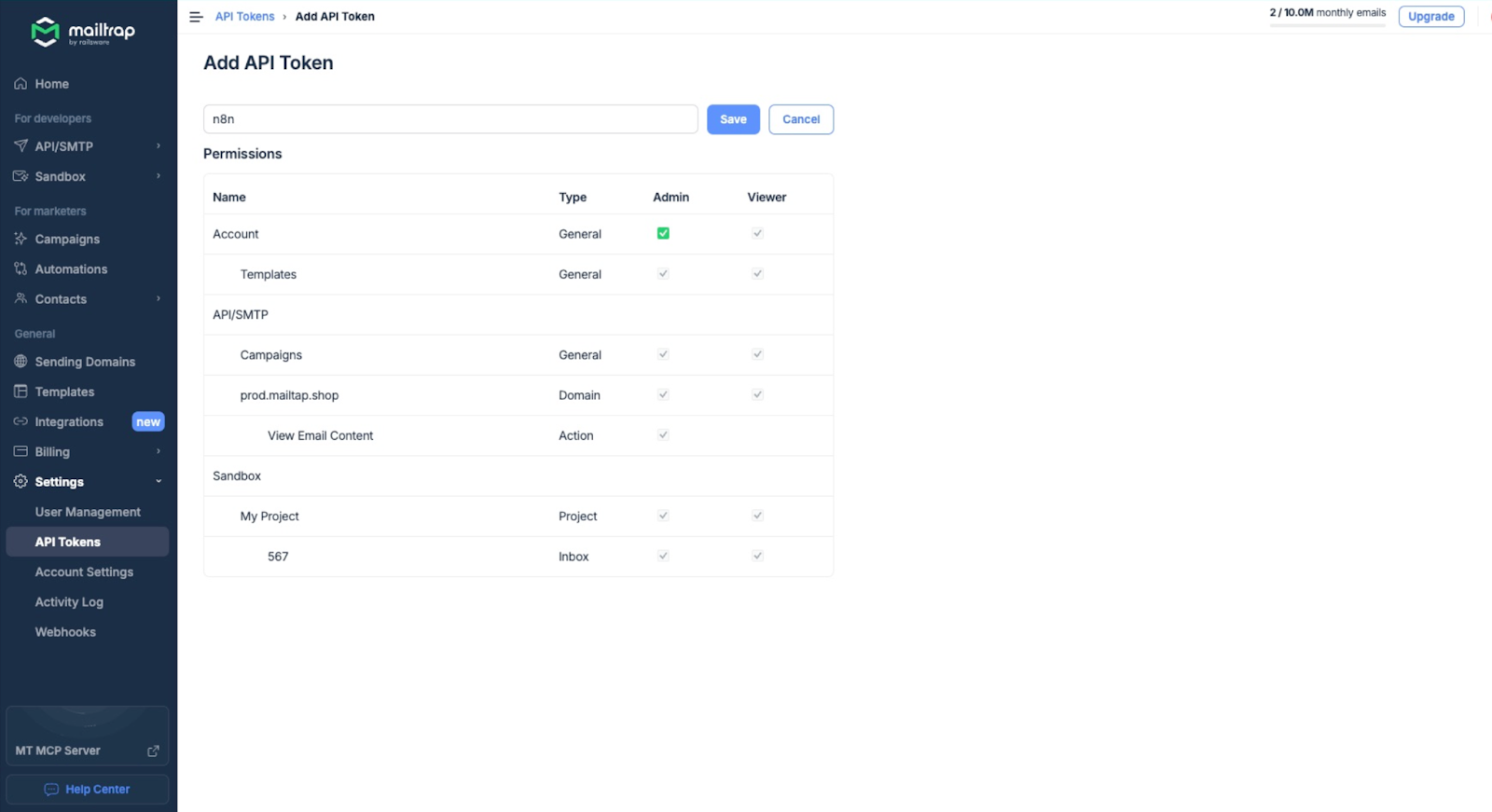
Enter the desired name, click on **Add Token**, tick the desired permission checkboxes, and hit **Save**.
{% endstep %}
{% step %}
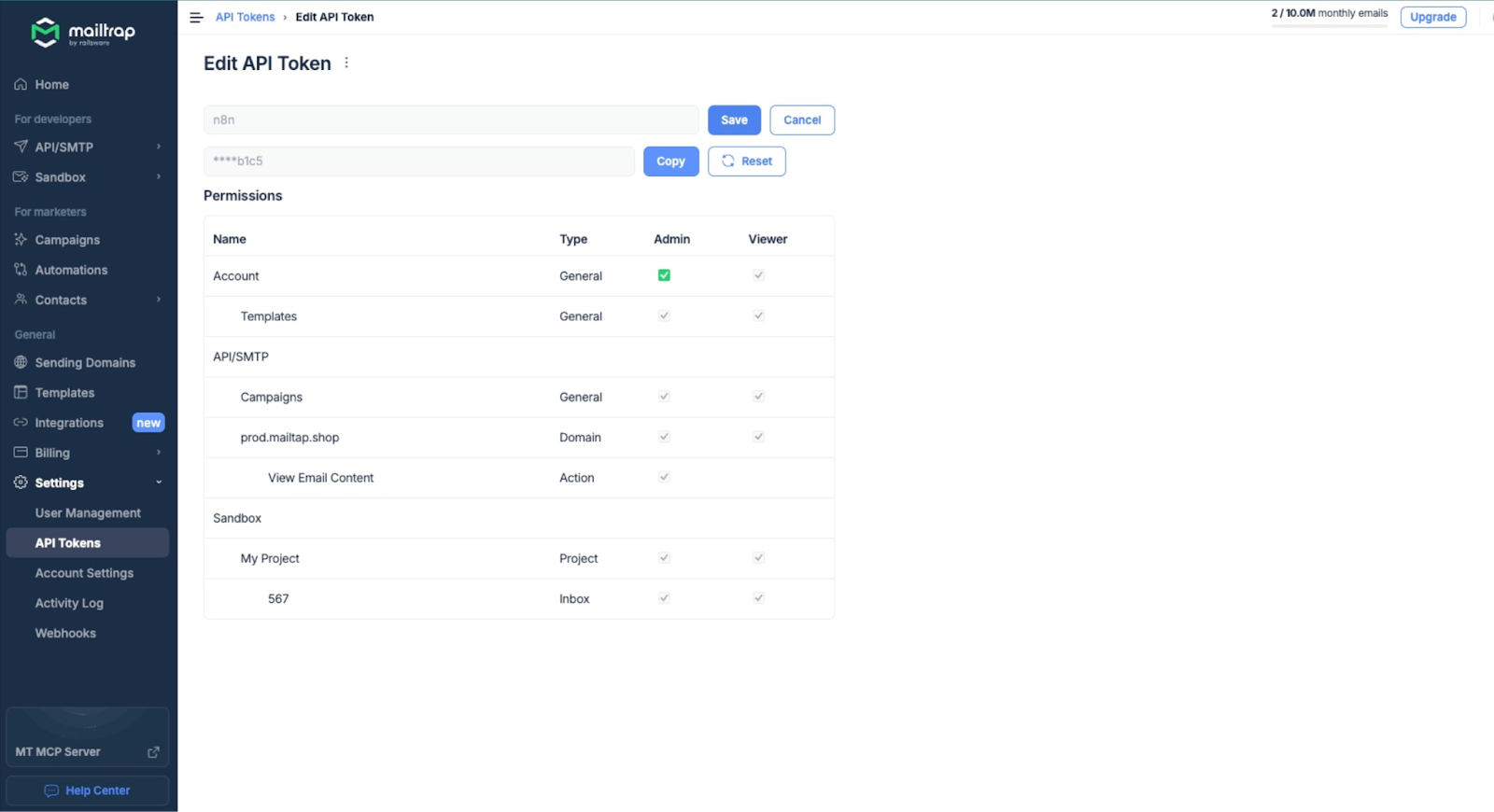
Copy the token and save it in a secure place.
{% endstep %}
{% step %}
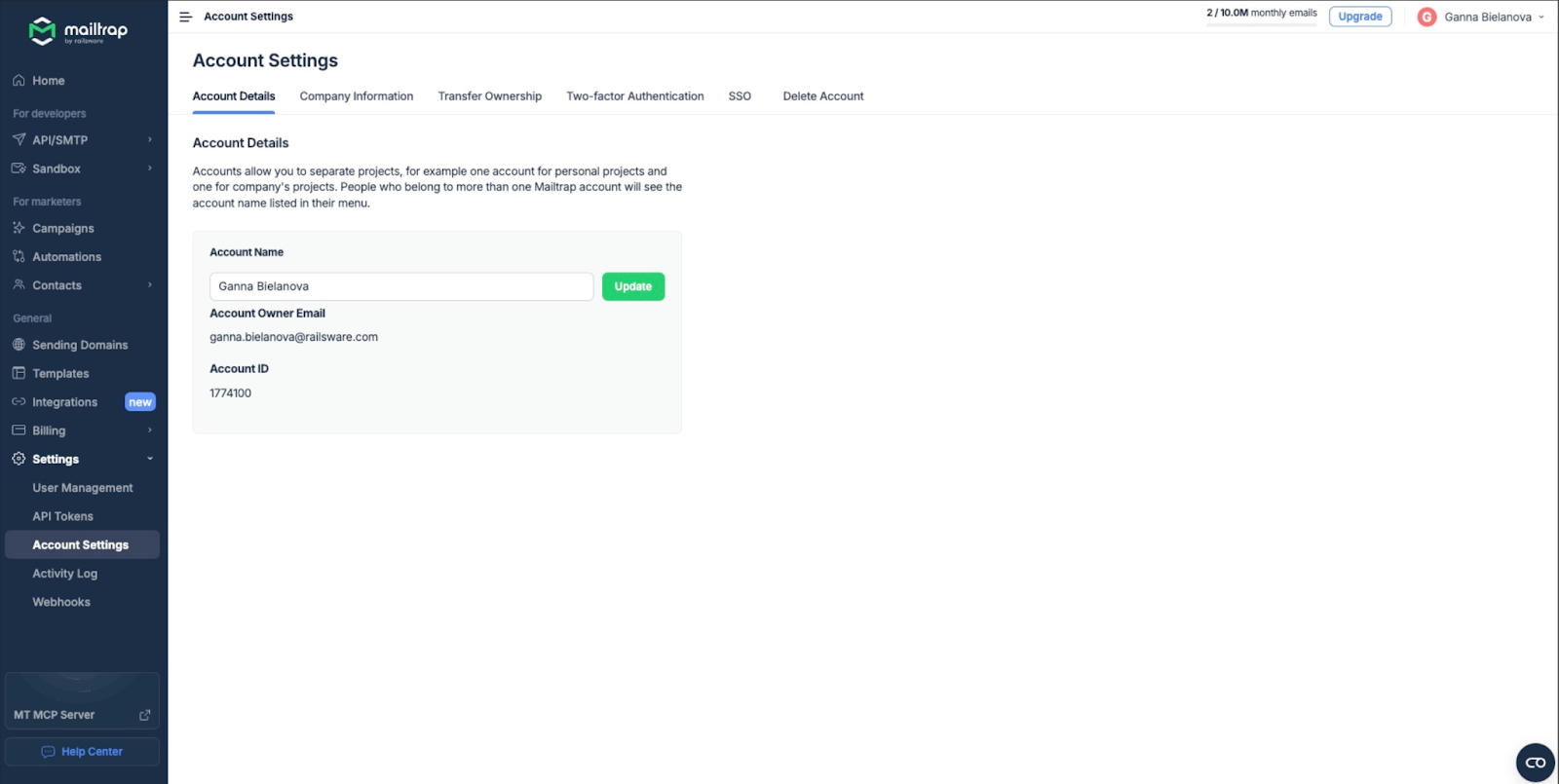
To obtain the **Account ID**, go to **Settings** → **Account Settings** → **Account Details**.
{% endstep %}
{% endstepper %}
### Integrate N8N with Mailtrap
{% stepper %}
{% step %}
**Select Mailtrap**
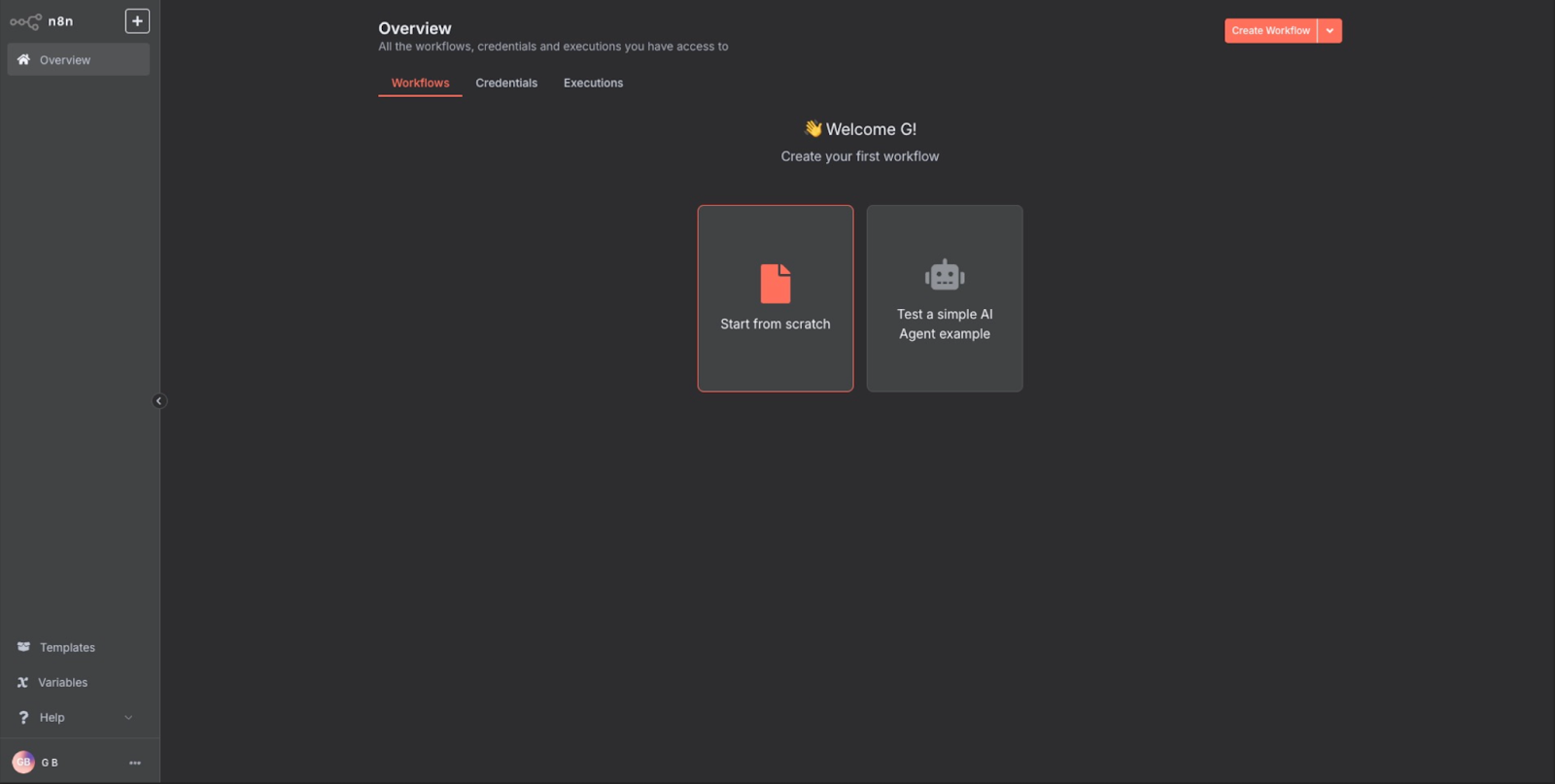
When you open your N8N dashboard, click on the left card 'Start from scratch'.
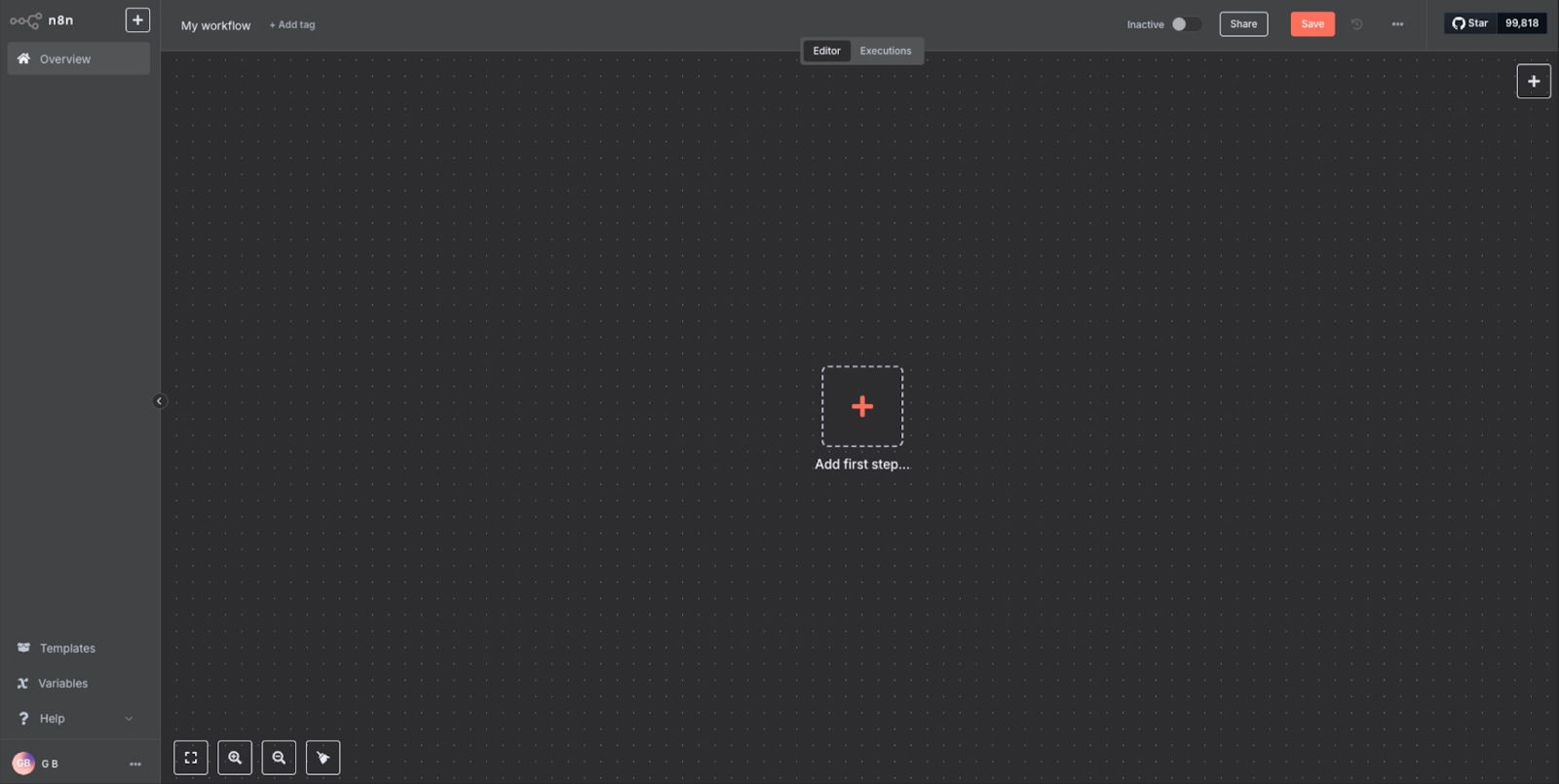
Then, click on the 'Add first step…'.
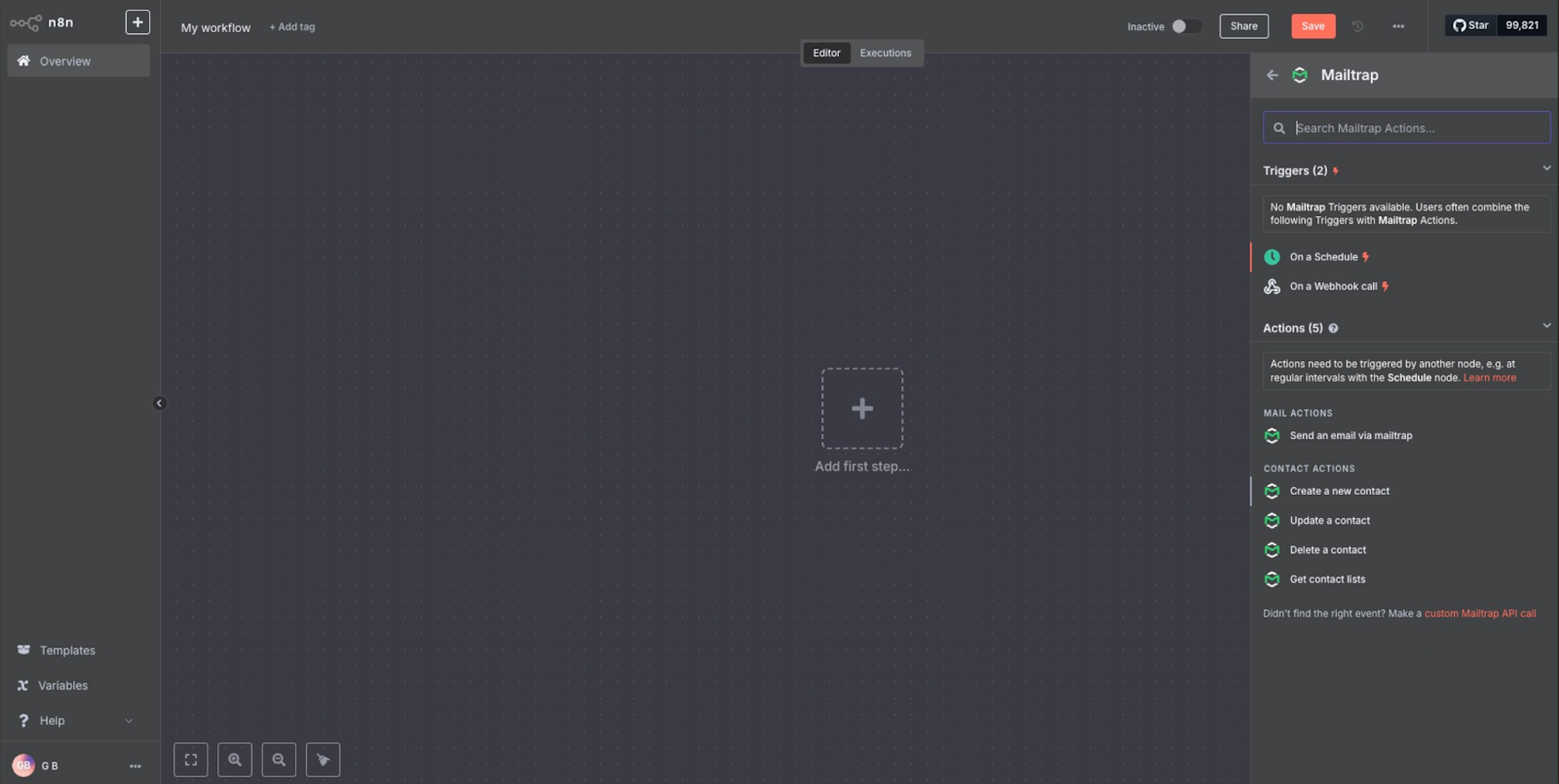
On the right-side menu, type 'Mailtrap' in the search bar, click on it, and select which actions you want to automate (e.g., sending an email, creating/updating contacts, etc.).
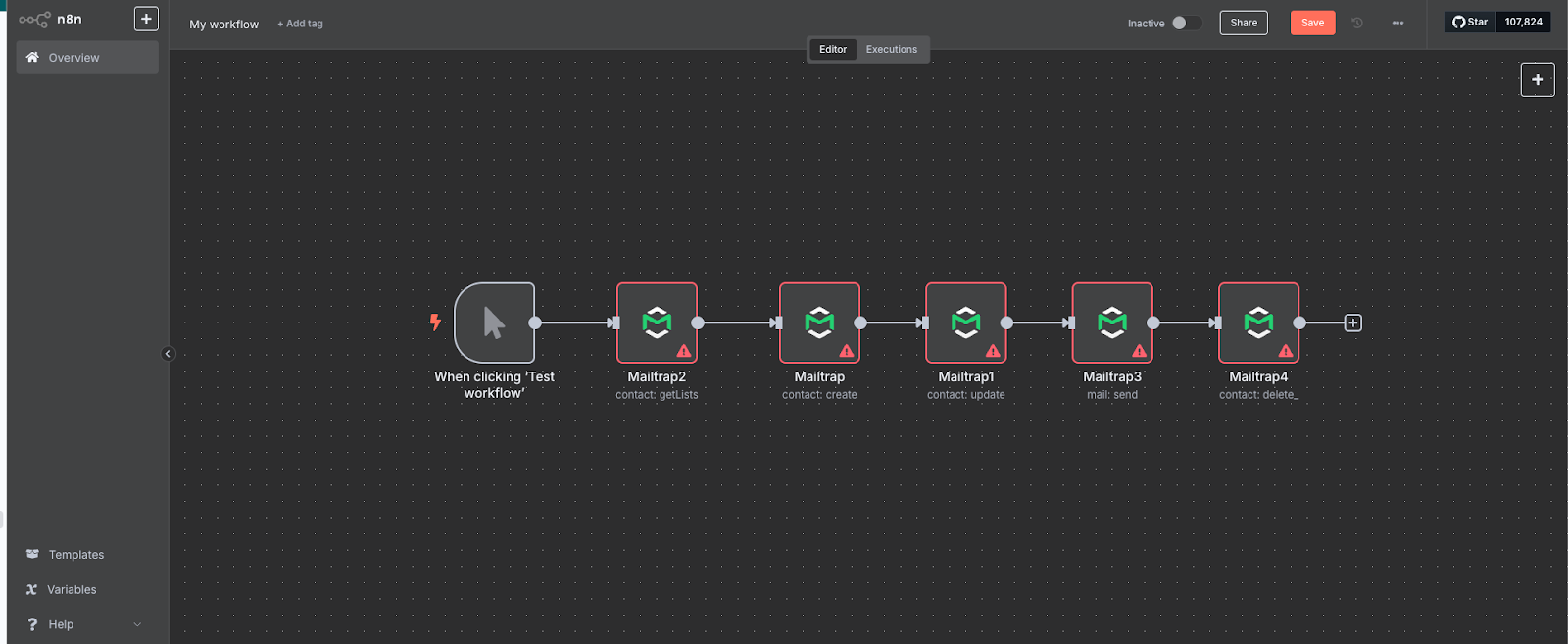
Here's an example workflow I created for the purposes of this demo:
{% endstep %}
{% step %}
**Enter your Mailtrap credentials**
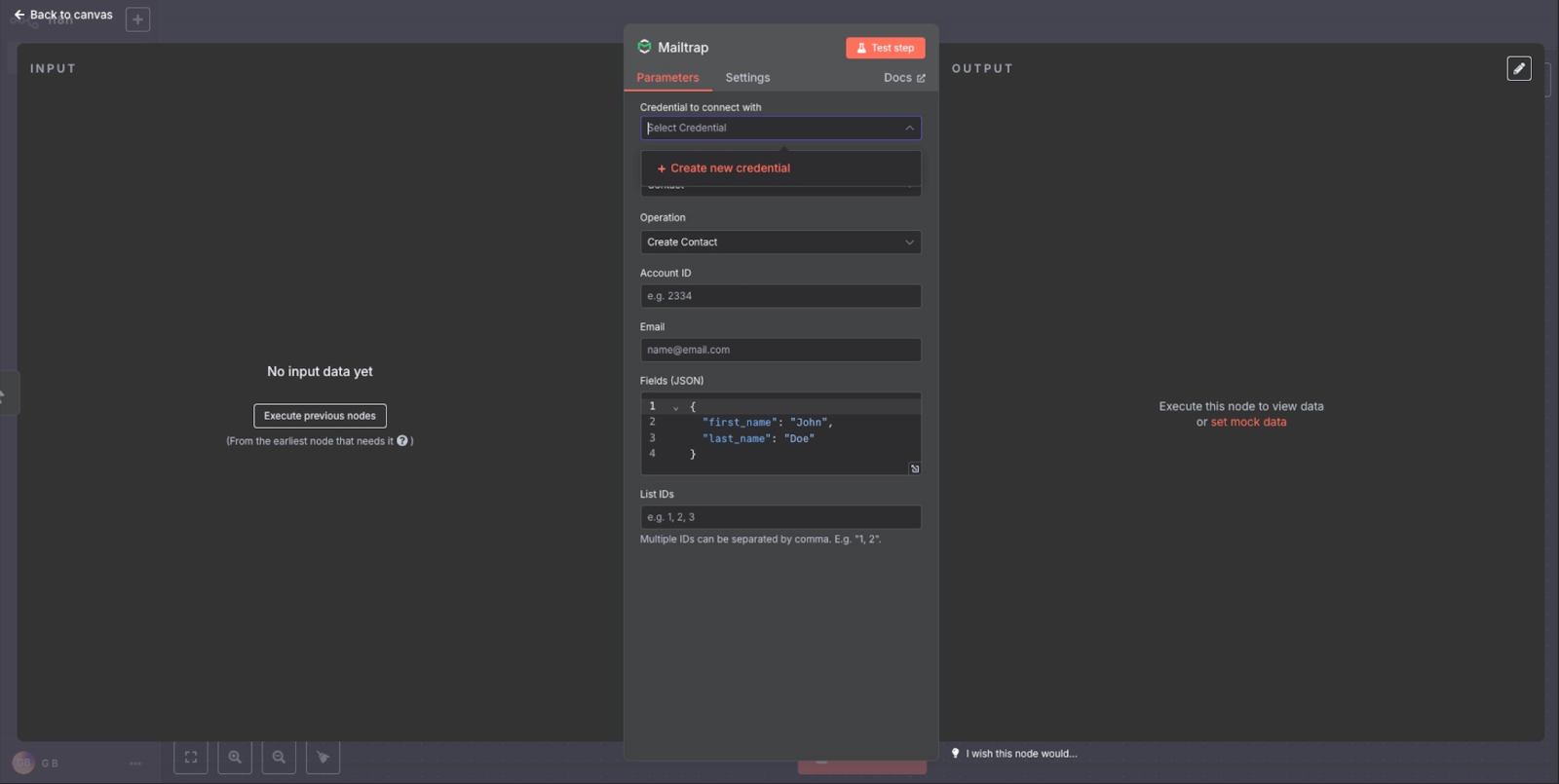
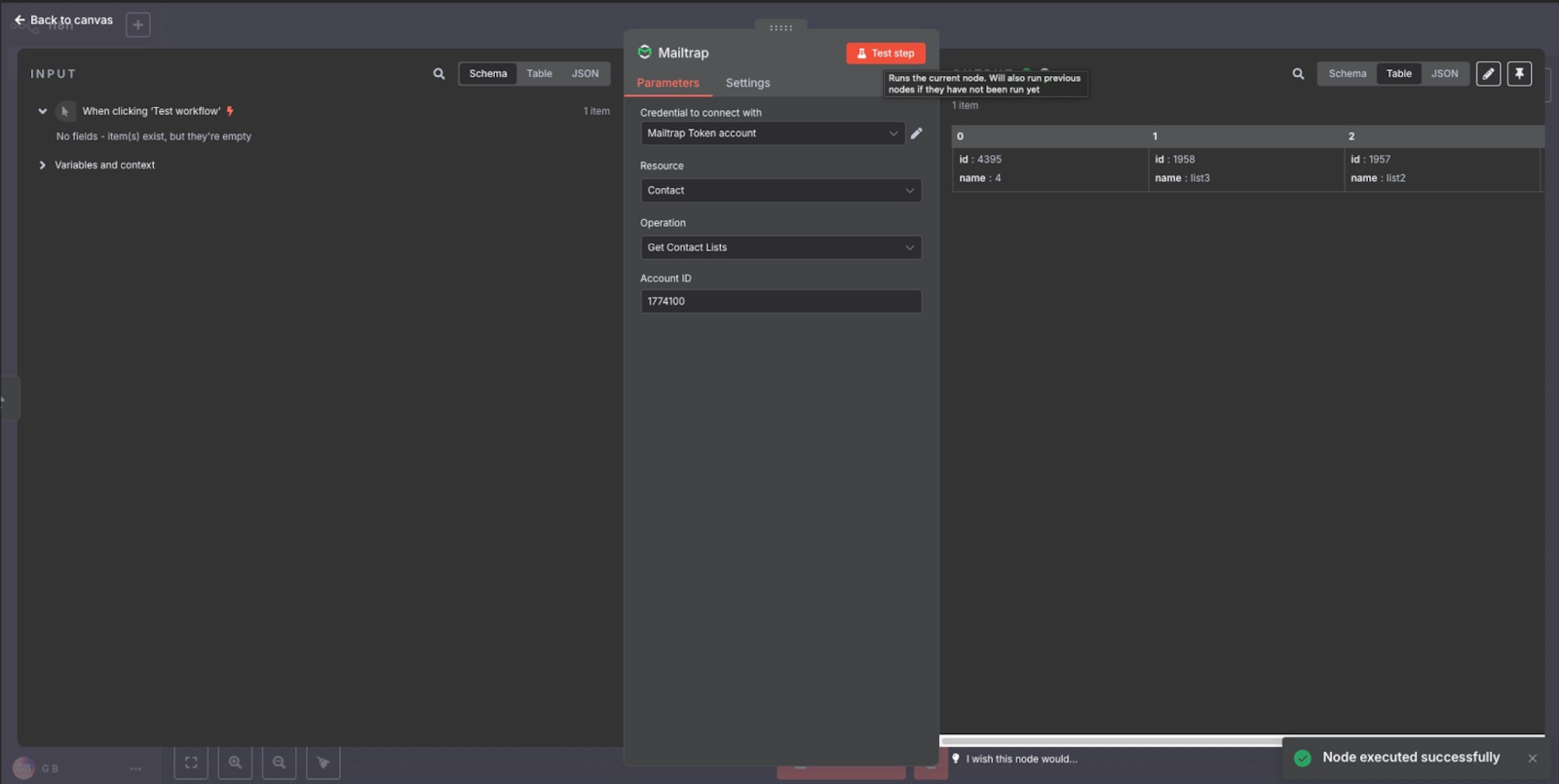
In the parameters window, click on 'Select Credential' and '+ Create new credential' to add the credentials we obtained in the previous chapter.
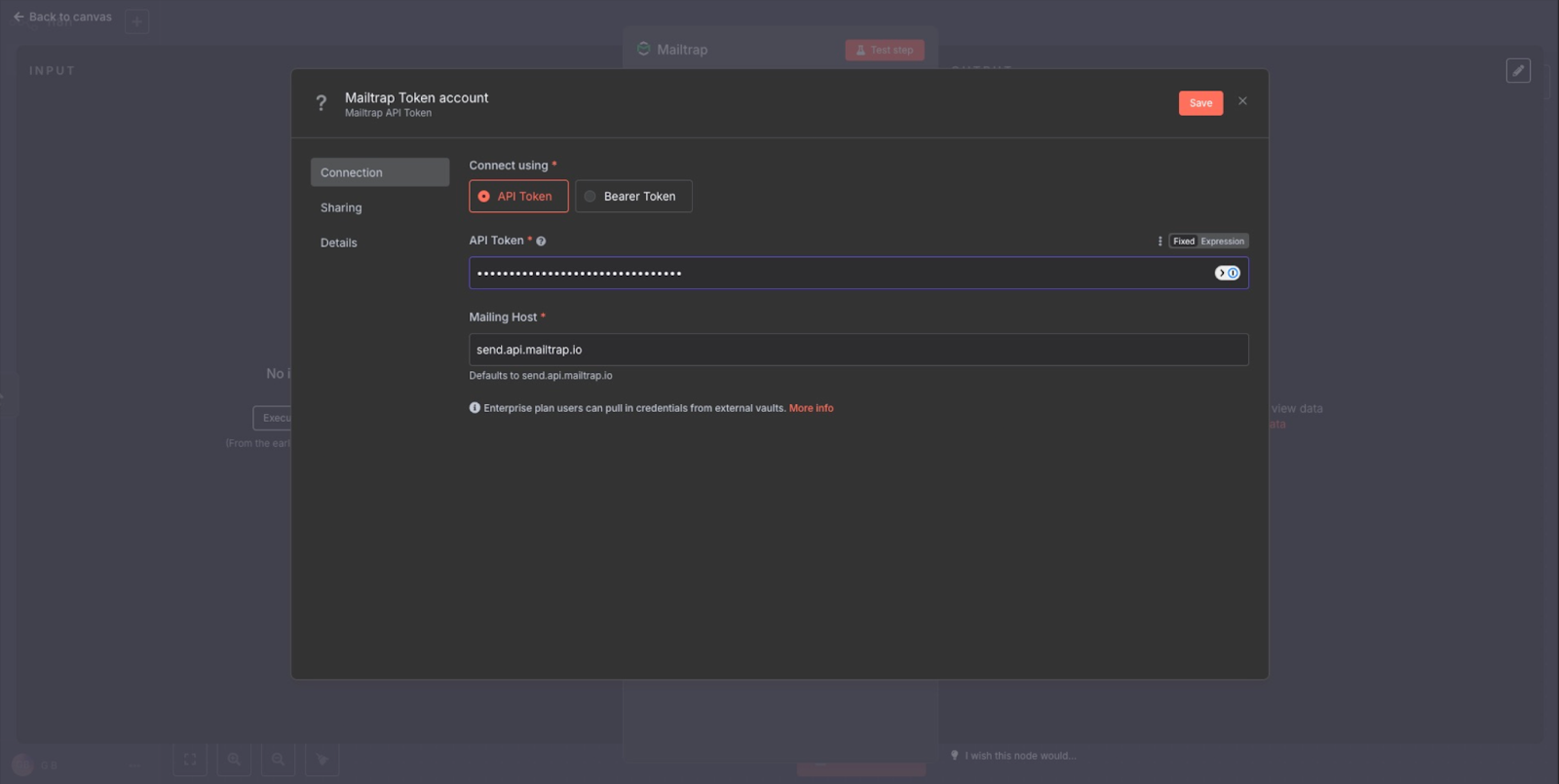
In the credentials setting, simply add the API Token and Mailtrap Host.
**Important**: Keep in mind that I've added my Sending credentials (send.api.mailtrap.io).
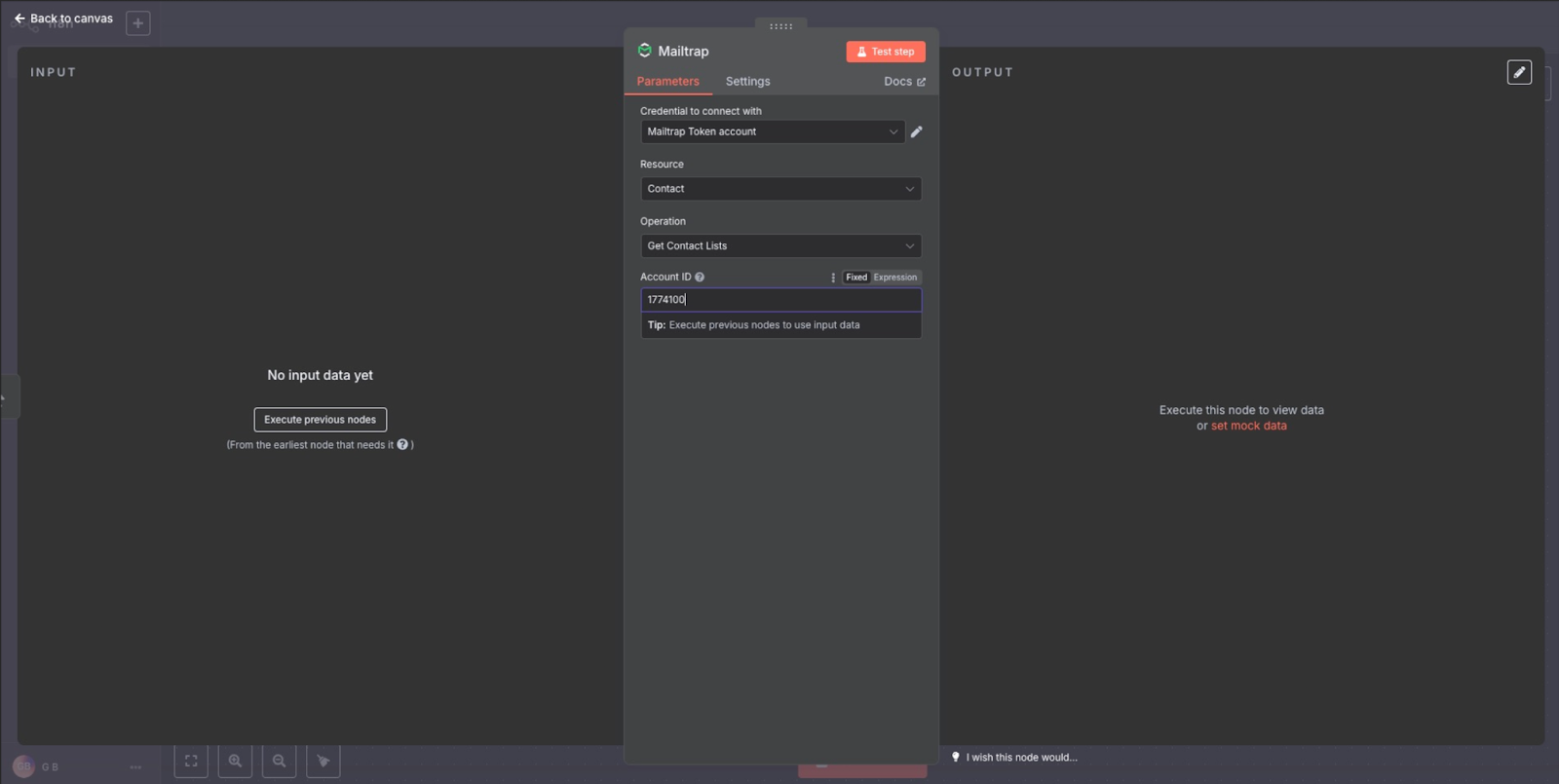
Then, back in the Parameters window, add the account ID.
{% endstep %}
{% step %}
**Test the integration**
Lastly, simply click on 'Test step' to test the integration:
Now, every time a new user logs in and updates their name, they will get a confirmation email via Mailtrap and their information will be logged in my Mailtrap Contacts page. There, I can group them into lists, segment them accordingly, and use Fields to personalize my email campaigns further.
{% endstep %}
{% endstepper %}
## Next steps
Once your N8N and Mailtrap integration is complete, you can leverage the full power of workflow automation to send targeted emails, manage contacts, and track engagement across your applications.
---
# Agent Instructions
This documentation is published with GitBook. GitBook is the documentation platform designed so that both humans and AI agents can read, navigate, and reason over technical content effectively. Learn more at gitbook.com.
## Querying This Documentation
If you need additional information that is not directly available in this page, you can query the documentation dynamically by asking a question.
Perform an HTTP GET request on the current page URL with the `ask` query parameter, and the optional `goal` query parameter:
```
GET https://docs.mailtrap.io/guides/integrations/n8n.md?ask=&goal=
```
`ask` is the immediate question: it should be specific, self-contained, and written in natural language.
`goal` is optional and describes the broader end goal you are ultimately trying to accomplish on behalf of the user. GitBook uses it to tailor the answer towards what is most useful for that goal.
The response will contain a direct answer to the question and relevant excerpts and sources from the documentation.
Use this mechanism when the answer is not explicitly present in the current page, you need clarification or additional context, or you want to retrieve related documentation sections.