> For the complete documentation index, see [llms.txt](https://docs.mailtrap.io/llms.txt). Markdown versions of documentation pages are available by appending `.md` to page URLs; this page is available as [Markdown](https://docs.mailtrap.io/guides/integrations/retool/rest-api.md).
# Retool REST API
Step-by-step guide on how to integrate Mailtrap with your Retool application to send emails via REST API.
Retool is an AI-powered platform that lets you build internal tools, apps, and workflows through natural language prompts and visual editing. In this article, you’ll learn how to connect it to Mailtrap and add email-sending functionality to your Retool projects.
**Prerequisites**:
* A Retool account and a project.
* A Mailtrap account for sending emails.
### Step 1. Create a REST API resource (Mailtrap)
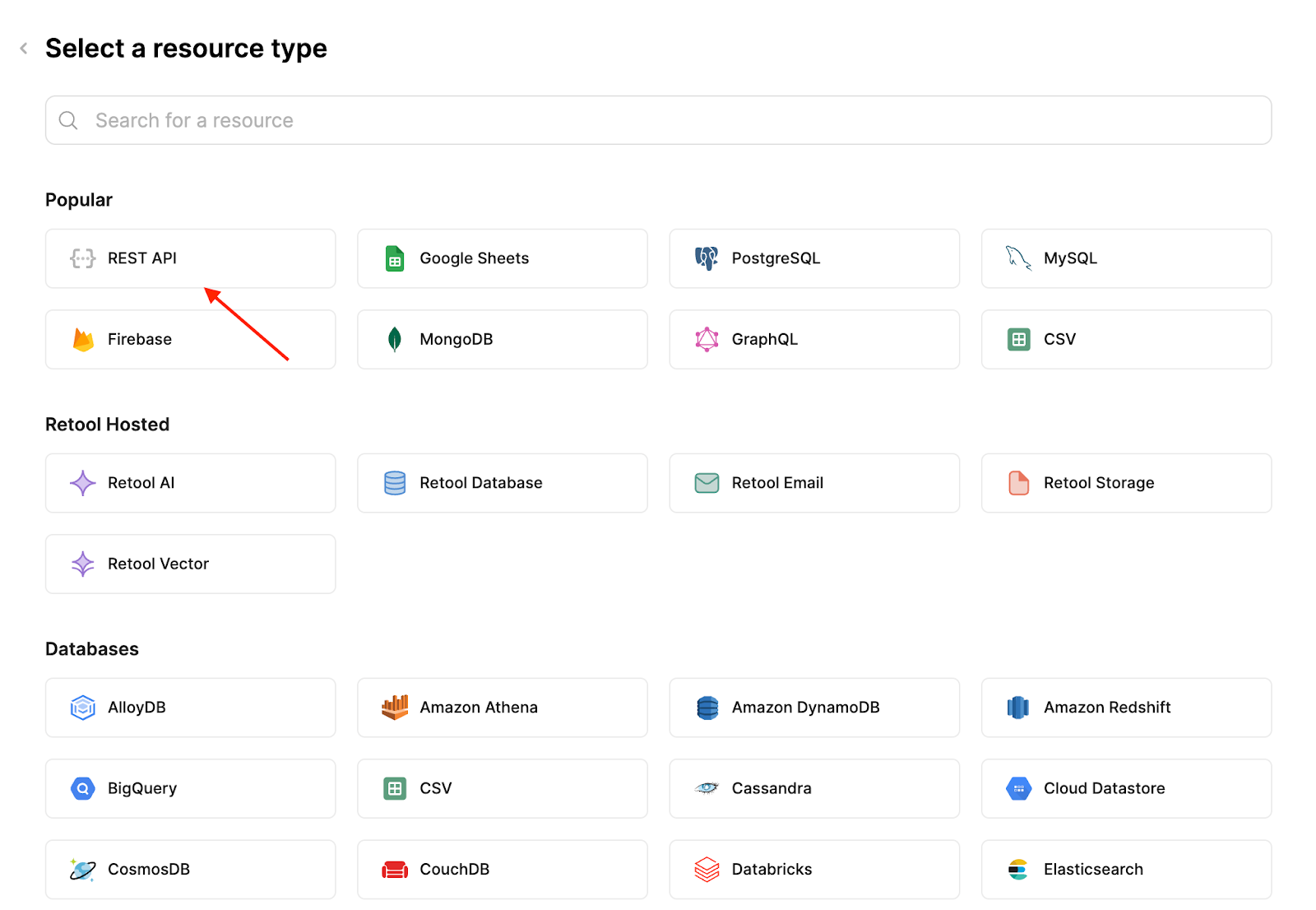
Open Retool and go to the **Resources** tab. Once there, click on **Create new** → **Resource**.
On the next page, select **REST API**.
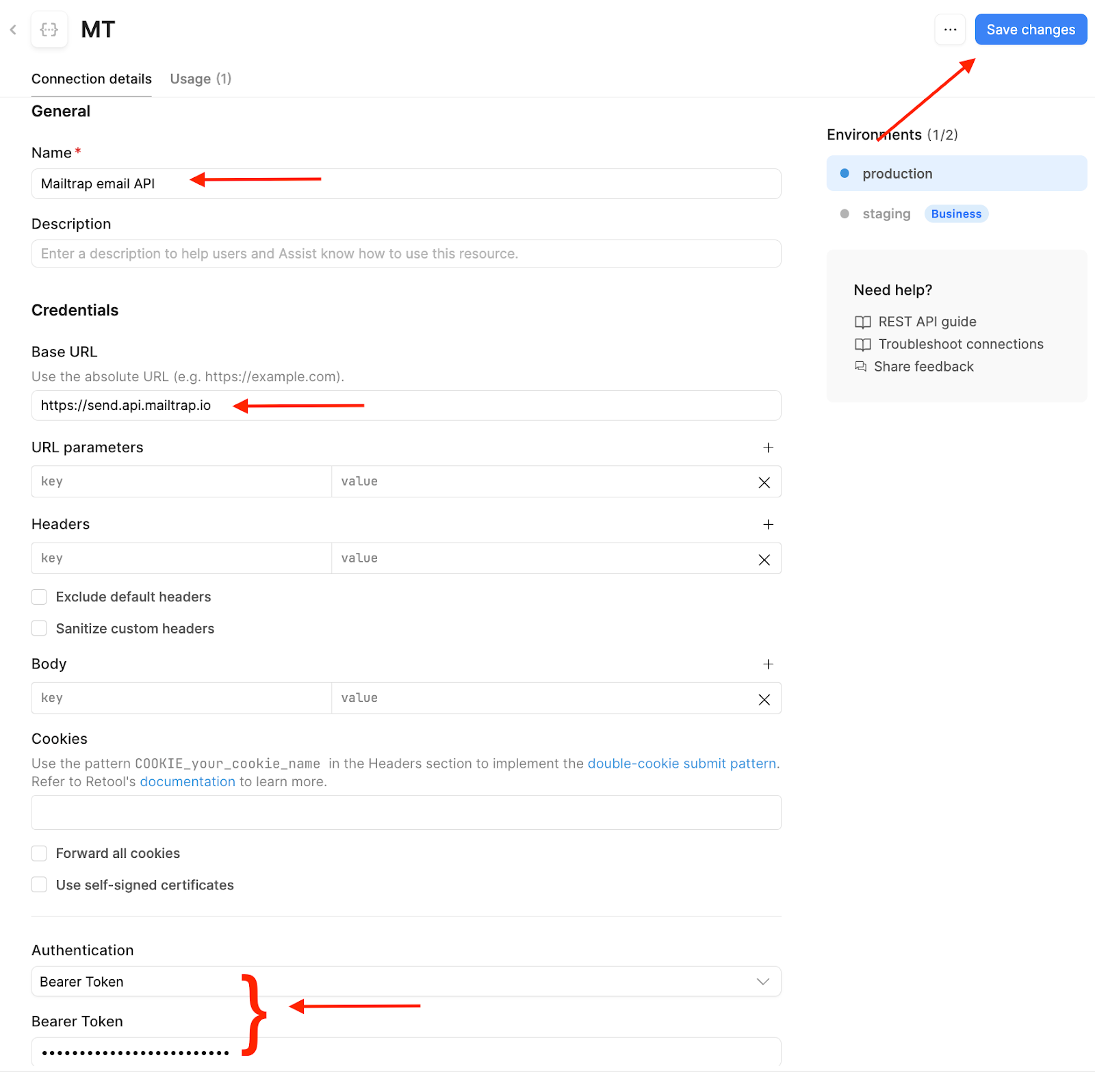
Then, all you need to do is:
* Enter your desired resource name
* Add the Mailtrap root ULR, which is `https://send.api.mailtrap.io/`
* **Note**: This URL lets you use other endpoints later on if you wish depending on your use case (i.e., create contacts). Additionally, if you plan on sending mass emails, the root URL should be `https://bulk.api.mailtrap.io/`
* Choose **Bearer** for authentication and add your [Mailtrap API key](https://docs.mailtrap.io/email-api-smtp/setup/api-tokens)
Once you insert the required details, make sure to click **Save changes** and go back to your project.
### Step 2. Configure a query
As the next step, we'll add a query to the Query Library. Queries stored here can be reused across any of your Retool apps.
In this example, we’ll create a query that sends an email with fixed content defined in the query settings. However, you can use any Mailtrap endpoint with Retool such as managing contacts, updating email templates, or sending messages to a sandbox. For more information, please check out the official [Mailtrap email API documentation](https://docs.mailtrap.io/developers).
As for the **Query**, create a new one and:
* Select the resource you created that connects the Mailtrap email API
* Choose **POST** and add the API endpoint. In this case, it’s `api/send`
* Add a **Content-Type** header with **application/json** as value
* Choose **RAW** as the Body type and use the following code snippet for testing purposes:
```
{
"from": {
"email": "hello@demoatmailtrap.com"
},
"to": [
{
"email": "yourtestinginbox@email.com"
}
],
"subject": "hola",
"text": "Lorem ipsum"
}
```
{% hint style="info" %}
This is just an example body for sending emails from a simple form. Feel free to adjust it according to your needs. Additionally, make sure to add your `‘from’` address with a verified sending domain.
{% endhint %}
Here’s what your new query should look like:
### Step 3. Test the integration
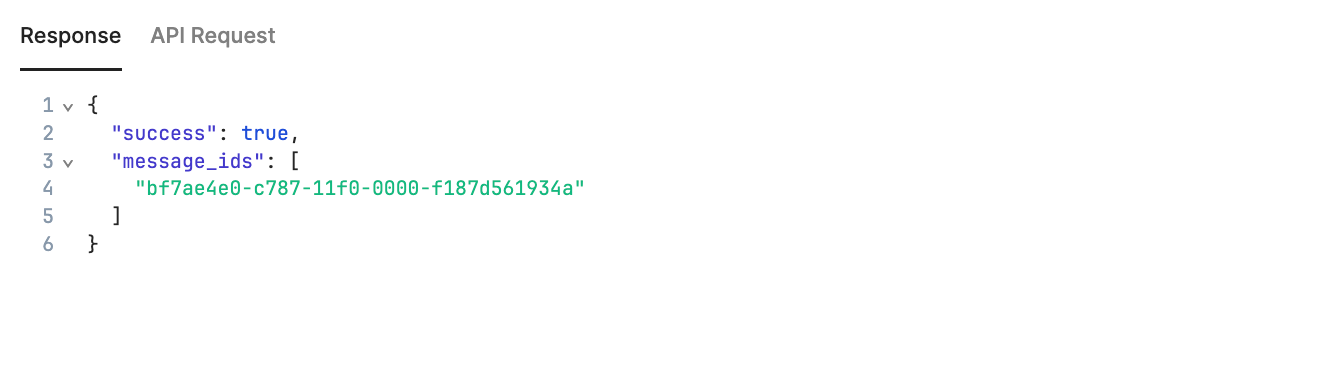
Finally, to test your configuration, click on the **Test** button in the upper-right corner of the Query editor, and you should see the following response:
Here it is in the Gmail inbox I used as my `to` address:
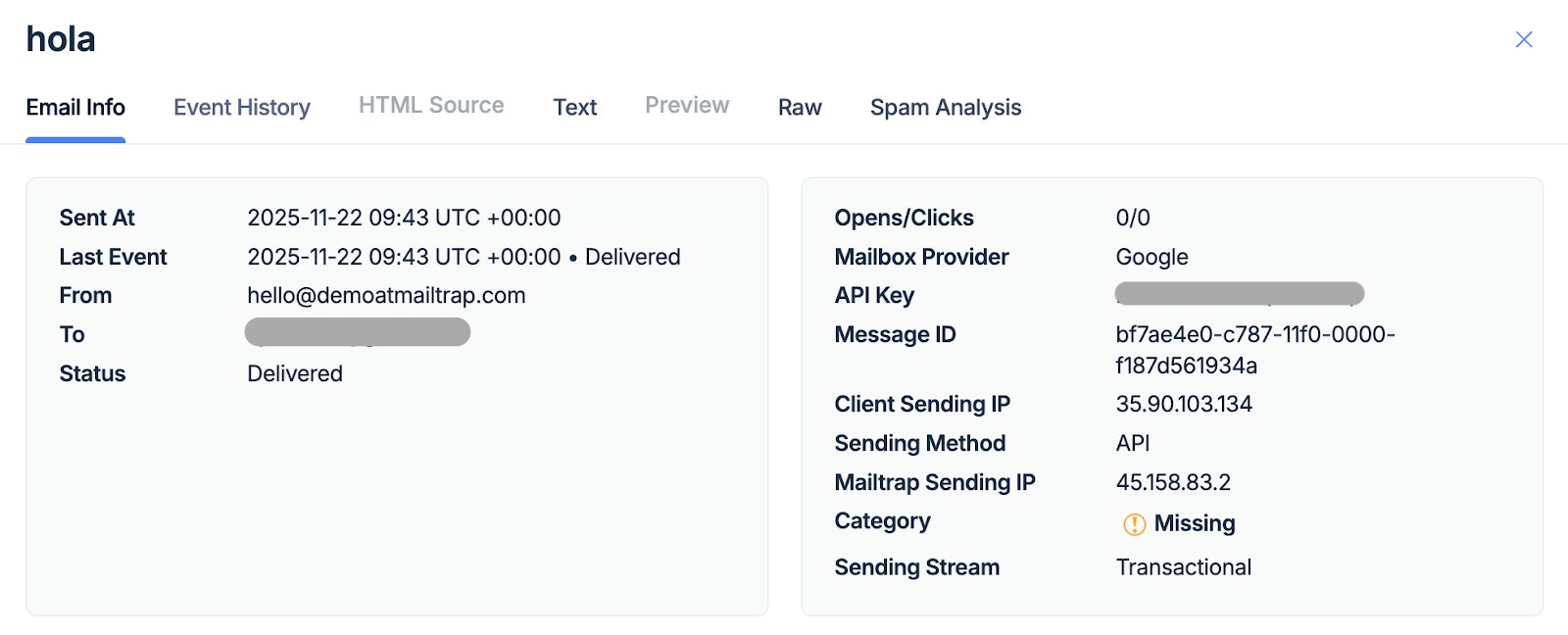
And here it is in the Mailtrap [Email Logs](https://docs.mailtrap.io/email-api-smtp/analytics/logs).
Before you go: If you plan on collecting email addresses for a list, you can connect your Retool project with [Mailtrap Contacts](https://docs.mailtrap.io/email-marketing/contacts/overview) and store your addresses in the Mailtrap Lists automatically. For reference, check out the official [Mailtrap Contacts API documentation](https://docs.mailtrap.io/developers/email-marketing/contacts-api).
---
# Agent Instructions
This documentation is published with GitBook. GitBook is the documentation platform designed so that both humans and AI agents can read, navigate, and reason over technical content effectively. Learn more at gitbook.com.
## Querying This Documentation
If you need additional information that is not directly available in this page, you can query the documentation dynamically by asking a question.
Perform an HTTP GET request on the current page URL with the `ask` query parameter, and the optional `goal` query parameter:
```
GET https://docs.mailtrap.io/guides/integrations/retool/rest-api.md?ask=&goal=
```
`ask` is the immediate question: it should be specific, self-contained, and written in natural language.
`goal` is optional and describes the broader end goal you are ultimately trying to accomplish on behalf of the user. GitBook uses it to tailor the answer towards what is most useful for that goal.
The response will contain a direct answer to the question and relevant excerpts and sources from the documentation.
Use this mechanism when the answer is not explicitly present in the current page, you need clarification or additional context, or you want to retrieve related documentation sections.