> For the complete documentation index, see [llms.txt](https://docs.mailtrap.io/llms.txt). Markdown versions of documentation pages are available by appending `.md` to page URLs; this page is available as [Markdown](https://docs.mailtrap.io/email-api-smtp/help/troubleshooting/unauthorized-401-error.md).
# 401 Unauthorized Error
How to fix "Unauthorised" (401) authentication errors in Mailtrap Email API/SMTP.
If you're getting an "Unauthorised" error (401 code) when trying to send emails, there are several possible causes and solutions.
### Common Causes
**1. Sending from Unverified Domain**
Make sure you're sending from the domain that you've set up and verified in Mailtrap. Using any other domain will result in this error.
{% hint style="danger" %}
If you verified `example.com`, you can only send from `*@example.com` addresses. Attempting to send from `otherdomain.com` will fail with a 401 error.
{% endhint %}
**2. API Token Permissions**
If you've configured a custom API token for your domain, make sure it has proper permissions to send emails.
Check your [API tokens](https://mailtrap.io/settings/api-tokens) and verify the token has:
* Email sending permissions
* Access to the correct domain
* Valid expiration date (if applicable)
**3. Incorrect Credentials**
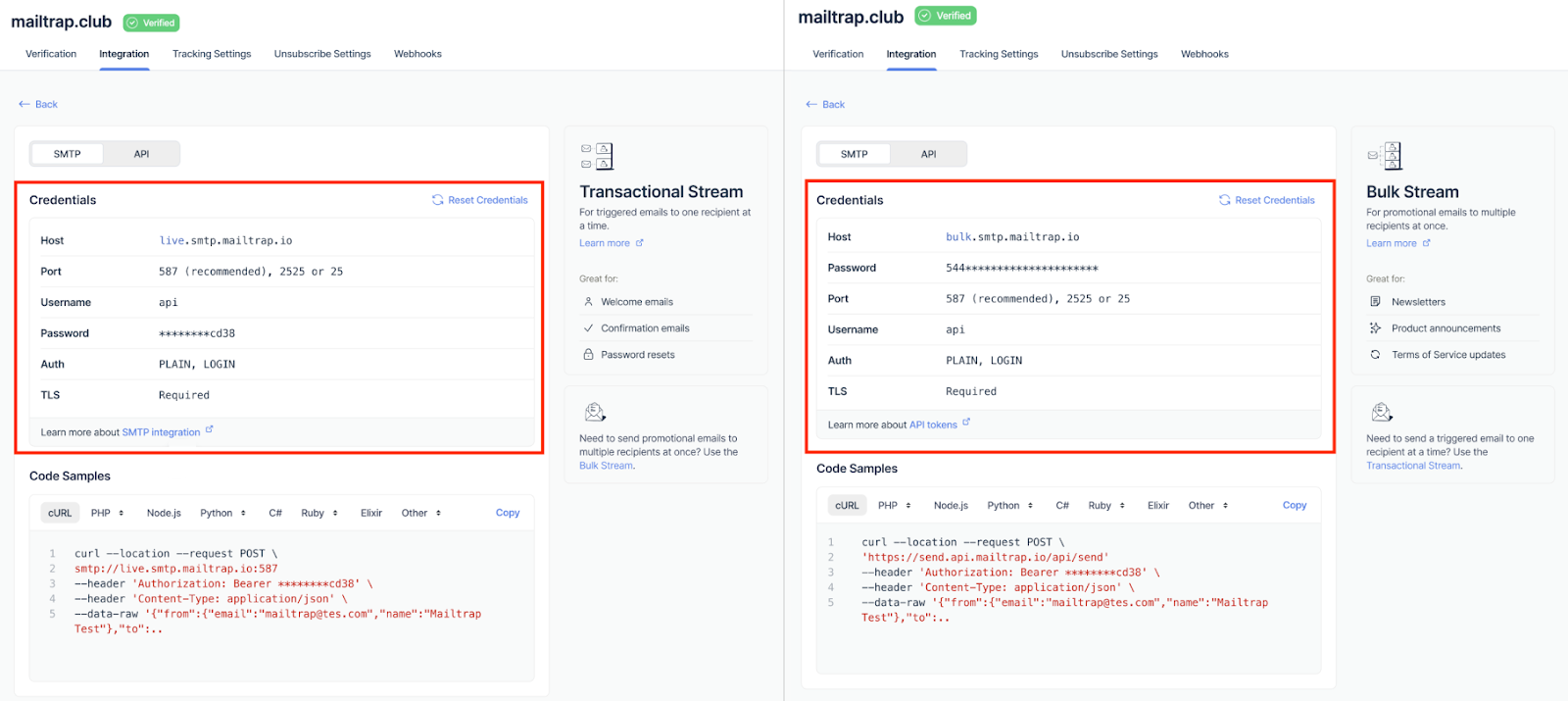
Make sure you're using the correct SMTP/API credentials provided in the Integration tab of your domain.
SMTP and API credentials in Integration tab
### How to Fix
{% stepper %}
{% step %}
**Verify Your Domain**
1. Go to [Sending Domains](https://mailtrap.io/domains)
2. Ensure your domain shows the **Verified** badge
3. If not verified, complete the DNS record setup
{% endstep %}
{% step %}
**Check API Token (if using custom tokens)**
1. Go to [API Tokens](https://mailtrap.io/settings/api-tokens)
2. Verify the token has **Send Email** permissions
3. Ensure it's assigned to the correct domain
4. Check that the token hasn't expired
{% endstep %}
{% step %}
**Verify Credentials**
Navigate to: **Sending Domains > Integration > Integrate** (under Transactional or Bulk Stream)
Copy the exact credentials shown there:
* For SMTP: Username and Password
* For API: API Token
Replace your current credentials with these values.
{% endstep %}
{% step %}
**Test with cURL**
Use the cURL code example to test if the error persists:
1. Go to **Sending Domains > Integration > Integrate**
2. Select your stream (Transactional or Bulk)
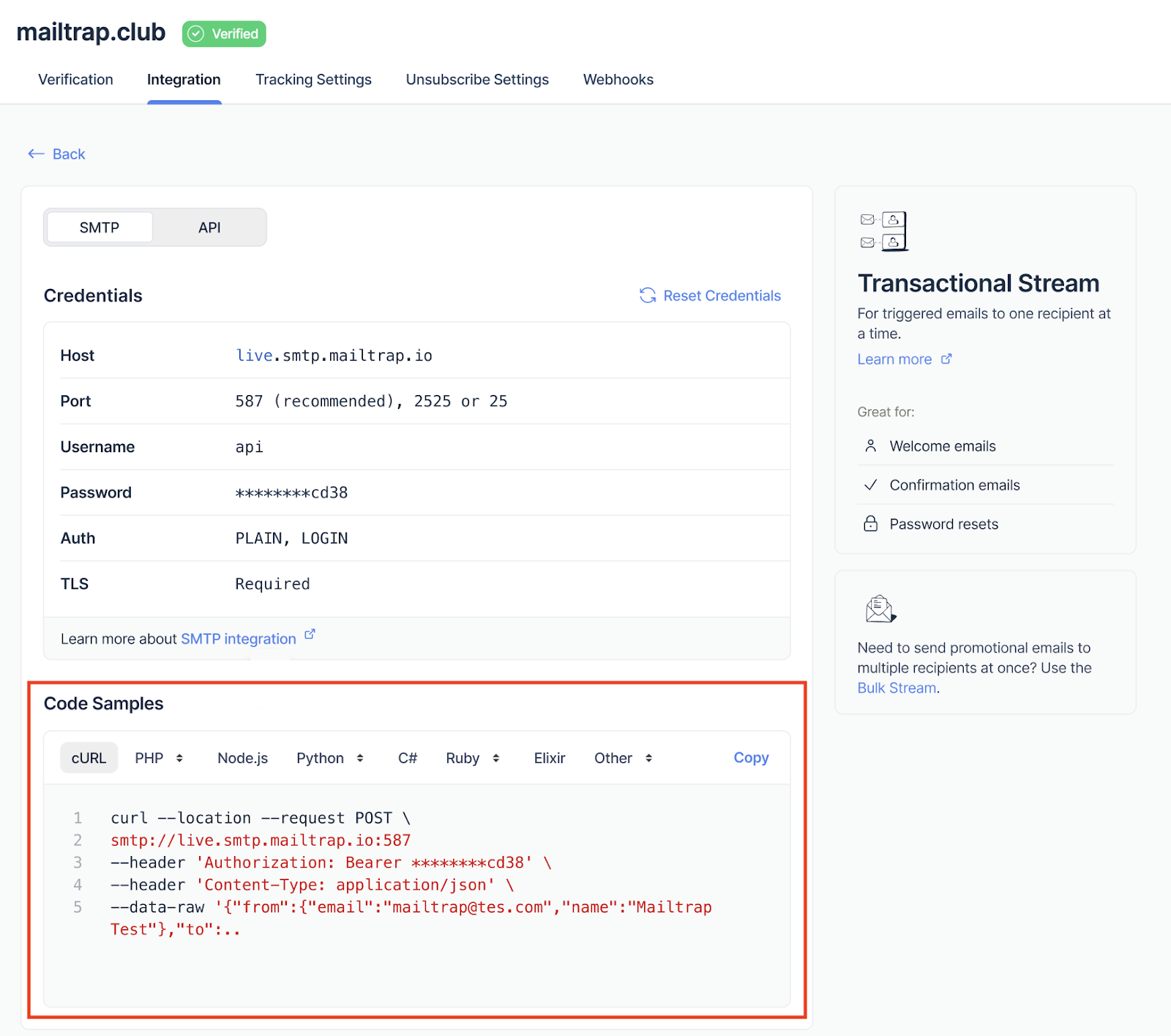
3. Go to **Code Samples > cURL**
4. Copy and run the cURL command
Code Samples section with cURL example
If the cURL test succeeds but your application fails, the issue is with your application's configuration.
{% endstep %}
{% endstepper %}
### Still Having Issues?
If you've verified all the above and still getting 401 errors:
* Double-check that your FROM address domain matches your verified domain
* Ensure there are no extra spaces or special characters in your credentials
* Contact support at with:
* Your domain name
* The exact error message
* A code sample showing how you're attempting to send
### Related Articles
* [Sending Domain Setup](/email-api-smtp/setup/sending-domain.md)
* [API Integration](/email-api-smtp/setup/api-integration.md)
* [SMTP Integration](/email-api-smtp/setup/smtp-integration.md)
* [Sending from Domain Not Allowed](/email-api-smtp/help/troubleshooting/sending-from-domain-not-allowed.md)
---
# Agent Instructions
This documentation is published with GitBook. GitBook is the documentation platform designed so that both humans and AI agents can read, navigate, and reason over technical content effectively. Learn more at gitbook.com.
## Querying This Documentation
If you need additional information that is not directly available in this page, you can query the documentation dynamically by asking a question.
Perform an HTTP GET request on the current page URL with the `ask` query parameter, and the optional `goal` query parameter:
```
GET https://docs.mailtrap.io/email-api-smtp/help/troubleshooting/unauthorized-401-error.md?ask=&goal=
```
`ask` is the immediate question: it should be specific, self-contained, and written in natural language.
`goal` is optional and describes the broader end goal you are ultimately trying to accomplish on behalf of the user. GitBook uses it to tailor the answer towards what is most useful for that goal.
The response will contain a direct answer to the question and relevant excerpts and sources from the documentation.
Use this mechanism when the answer is not explicitly present in the current page, you need clarification or additional context, or you want to retrieve related documentation sections.