> For the complete documentation index, see [llms.txt](https://docs.mailtrap.io/llms.txt). Markdown versions of documentation pages are available by appending `.md` to page URLs; this page is available as [Markdown](https://docs.mailtrap.io/account-and-organization/privacy-and-security/activity-log.md).
# User audit Logs
Track user activities and actions in your Mailtrap account for security, transparency, and user management purposes.
User Audit Log automatically tracks the activities and actions performed by users within your account. It's a stream of events, logging actions taken and indicating who performed them, which is used for security purposes.
{% hint style="warning" %}
This feature is available to Enterprise plan users only.
{% endhint %}
## How to view User Audit Log
To view the Audit Log:
1. Log in to your Mailtrap account.
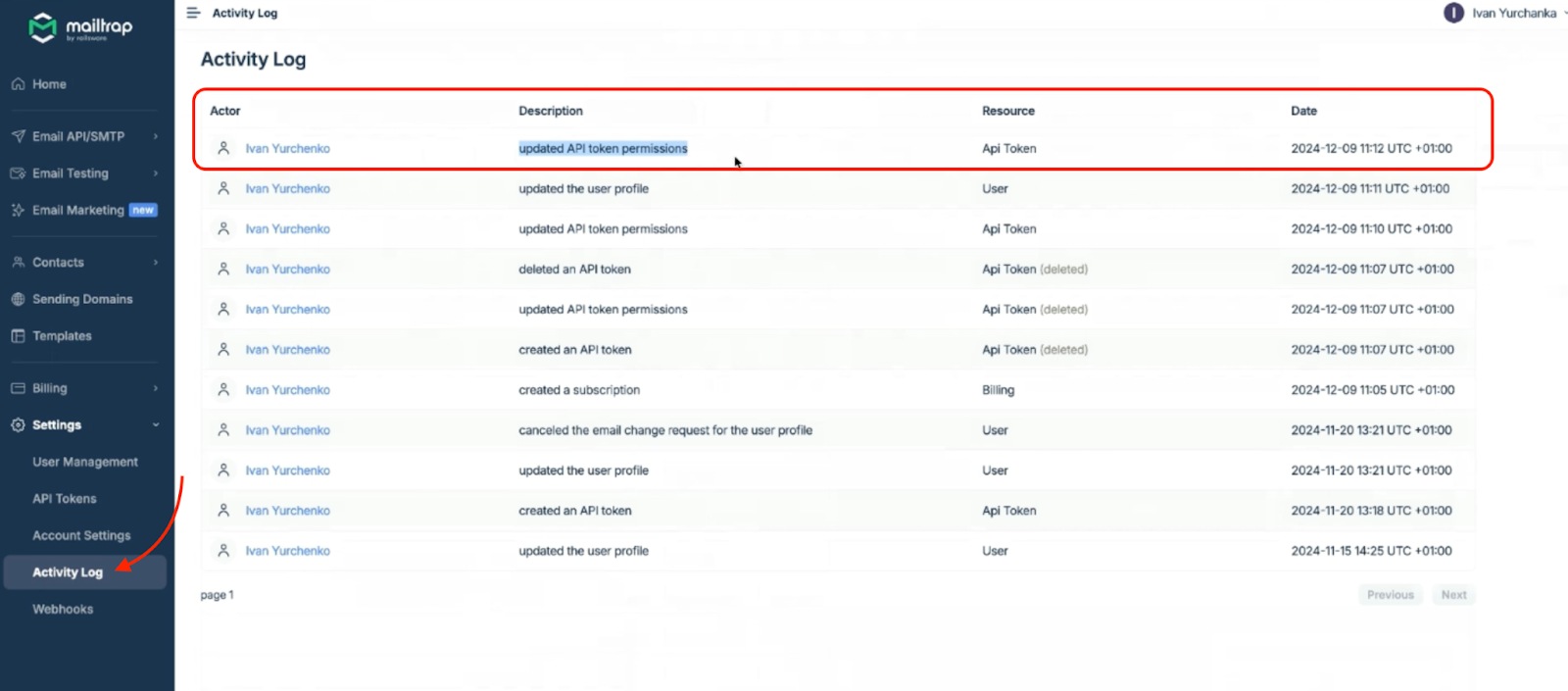
2. Click on **Settings** in the left-side menu and select **Audit Log**.
Once you're on the Audit Log page, you'll be able to see the activities performed by users:
{% hint style="info" %}
Events start saving the moment you upgrade to Enterprise plan.
{% endhint %}
## User Audit Log event examples
In the Audit Log, you can see events such as:
* John Doe added a domain.
* John Doe created the field First Name.
* John Doe deleted a sandbox QA.
* John Doe invited the user to the account.
* Someone attempted to log in to the user John Doe using GitHub.
* John Doe removed the webhook Logging from Transactional.
## Why should you use the User Audit Log?
Some of the reasons you should use the Audit Log include:
* **Security** – With events being tracked automatically, you can easily debug and investigate security incidents.
* **Transparency** – See what's happening in your account in real time by having a transparent overview of actions performed by users.
* **User management** – Monitor how your team members are interacting with Mailtrap services.
## Using User Audit Log with Mailtrap Webhooks
You can also pair the Audit Log with Mailtrap Webhooks and build an integration to monitor activities live.
Here's what you need to do:
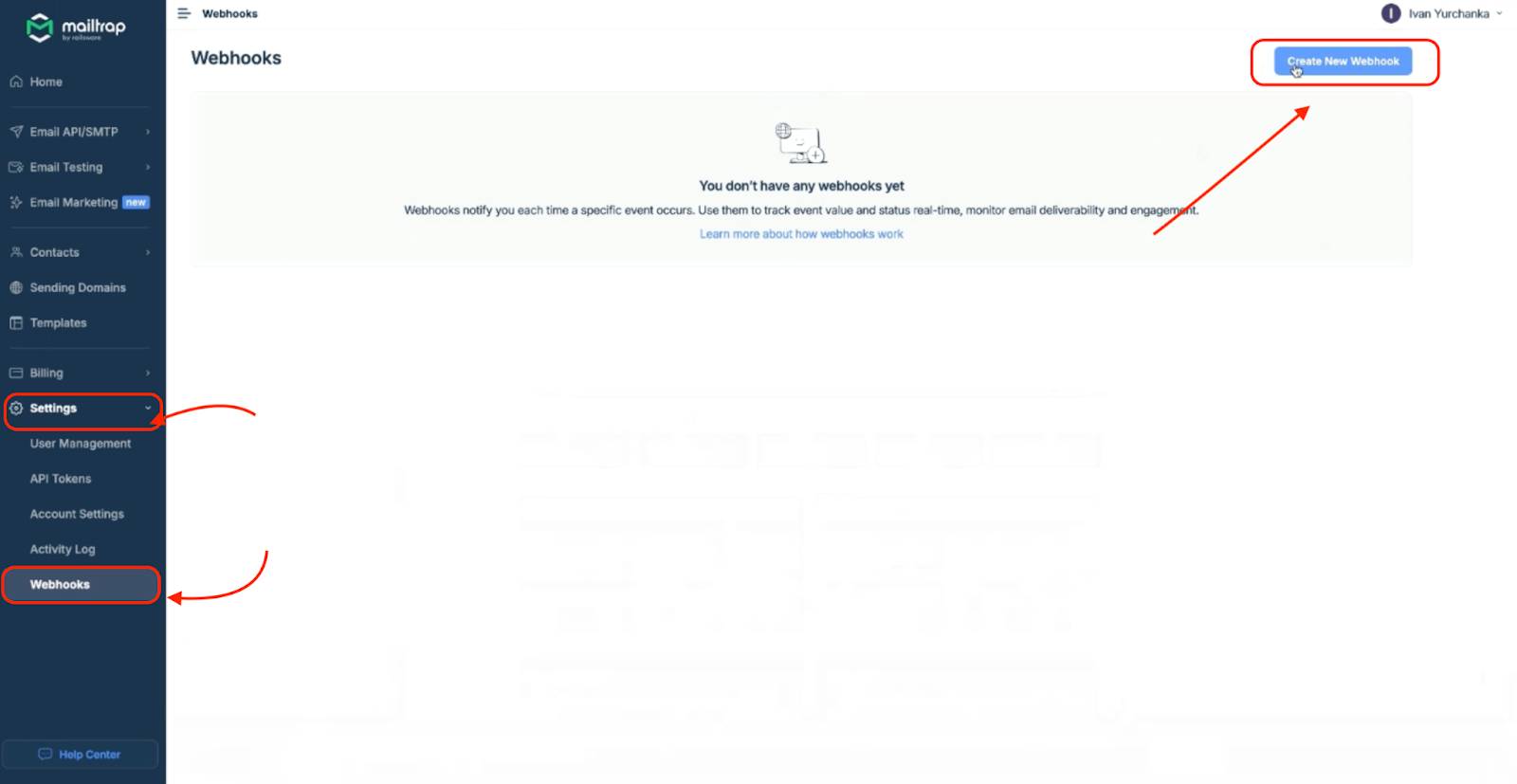
1. Navigate to **Settings** → **Webhooks** and click on **Create New Webhook**.
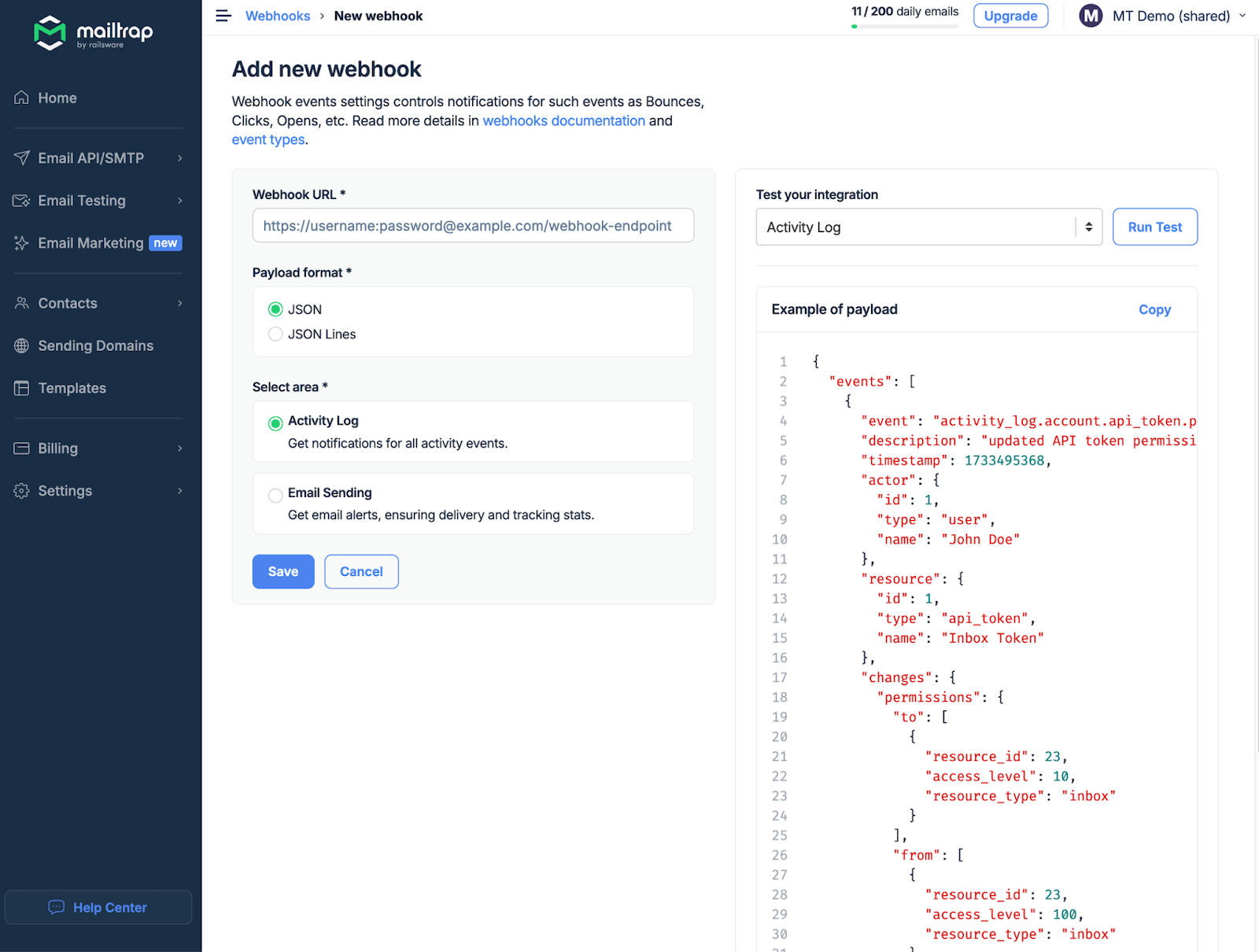
2. Enter your unique webhook URL, choose the Payload format, and select Audit Log.
Now you can build an integration to monitor activities live, increasing your security measures.
Here's an example of a webhook payload:
{% code title="Audit Log webhook payload" %}
```json
{
"events": [
{
"event": "activity_log.user.updated",
"description": "updated the user profile",
"actor": {
"id": 783,
"type": "user",
"name": "Jane Doe"
},
"resource": {
"id": "783",
"type": "user",
"name": "Jane Doe"
},
"changes": {
"name": {
"to": "[FILTERED]",
"from": "[FILTERED]"
}
},
"timestamp": 1733739084
}
]
}
```
{% endcode %}
---
# Agent Instructions
This documentation is published with GitBook. GitBook is the documentation platform designed so that both humans and AI agents can read, navigate, and reason over technical content effectively. Learn more at gitbook.com.
## Querying This Documentation
If you need additional information that is not directly available in this page, you can query the documentation dynamically by asking a question.
Perform an HTTP GET request on the current page URL with the `ask` query parameter, and the optional `goal` query parameter:
```
GET https://docs.mailtrap.io/account-and-organization/privacy-and-security/activity-log.md?ask=&goal=
```
`ask` is the immediate question: it should be specific, self-contained, and written in natural language.
`goal` is optional and describes the broader end goal you are ultimately trying to accomplish on behalf of the user. GitBook uses it to tailor the answer towards what is most useful for that goal.
The response will contain a direct answer to the question and relevant excerpts and sources from the documentation.
Use this mechanism when the answer is not explicitly present in the current page, you need clarification or additional context, or you want to retrieve related documentation sections.