> For the complete documentation index, see [llms.txt](https://docs.mailtrap.io/llms.txt). Markdown versions of documentation pages are available by appending `.md` to page URLs; this page is available as [Markdown](https://docs.mailtrap.io/email-api-smtp/email-templates/editing-and-customizing.md).
# Editing and Customizing
Learn how to edit and customize email templates using Details, Drag & Drop Editor, Code Editor, and test your templates.
### Details
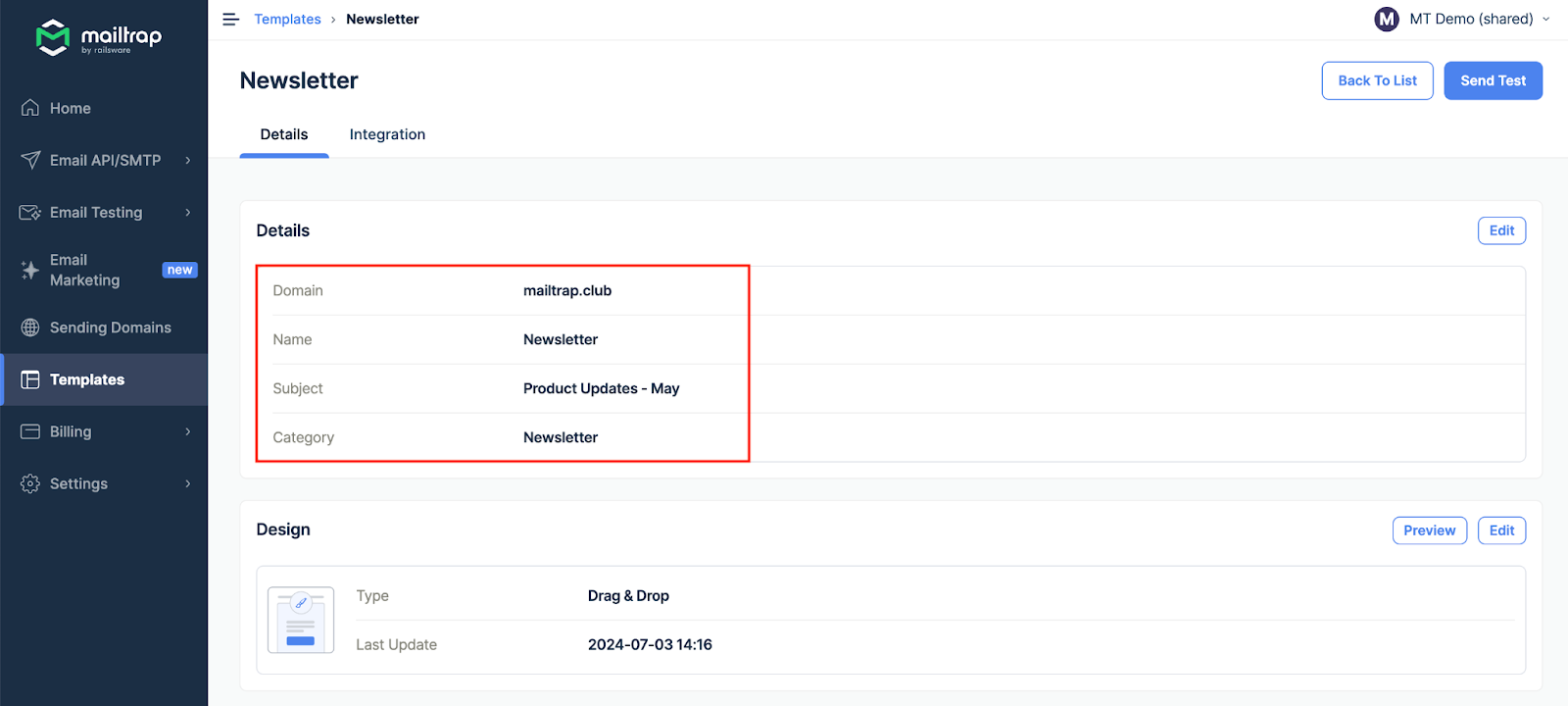
Each template must have a name, subject, category, and assigned domain. The subject also supports variables.
Template details section
### Drag & Drop Editor
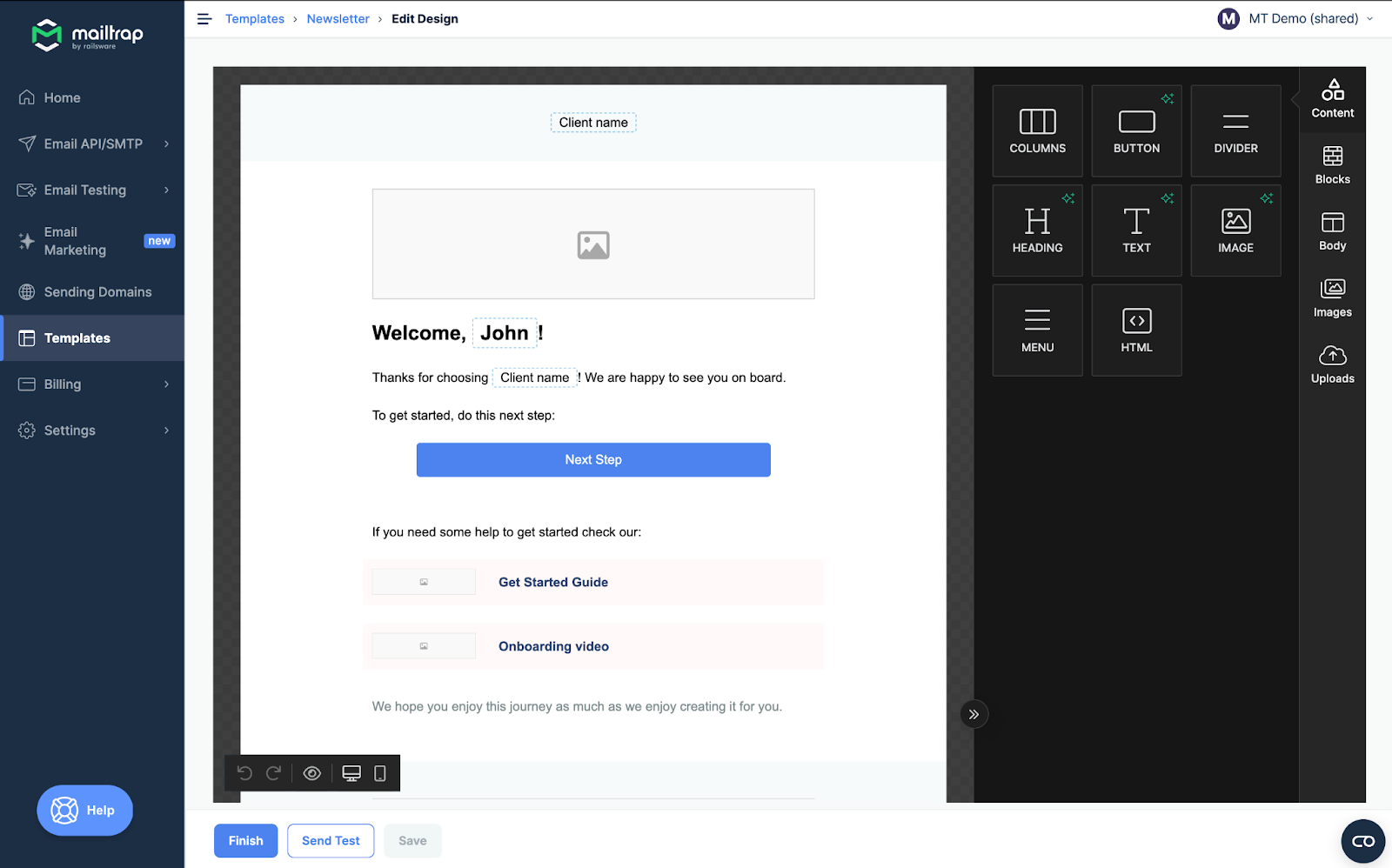
The drag-and-drop editor allows you to design templates without any coding.
Drag and Drop Editor
### Code Editor
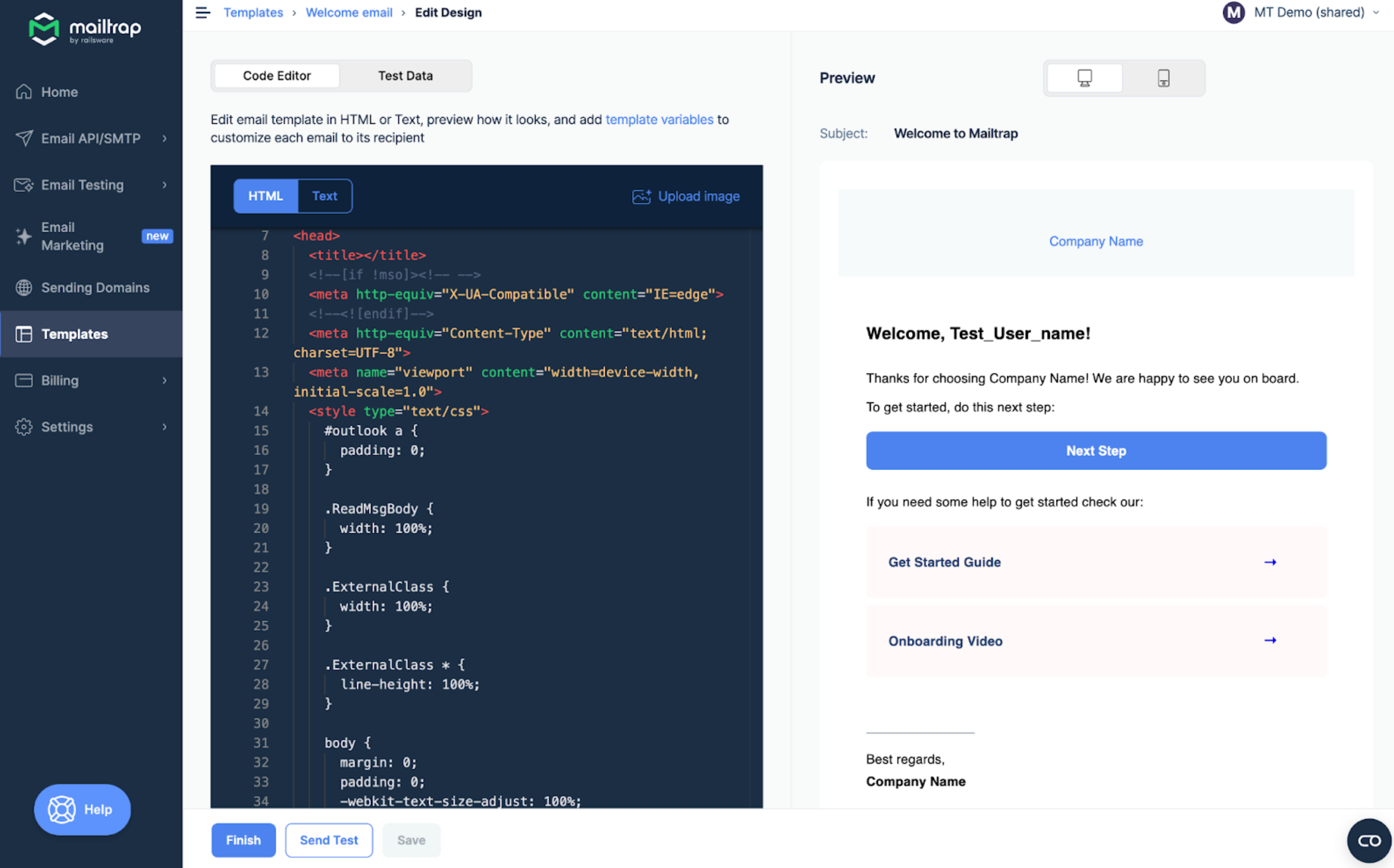
Code Editor allows you to edit the HTML or Text content, depending on the emails you want to send.
The editor supports Find and Replace options, and you can use Cmd+F or Win+F as a hotkey to reveal a quick search bar.
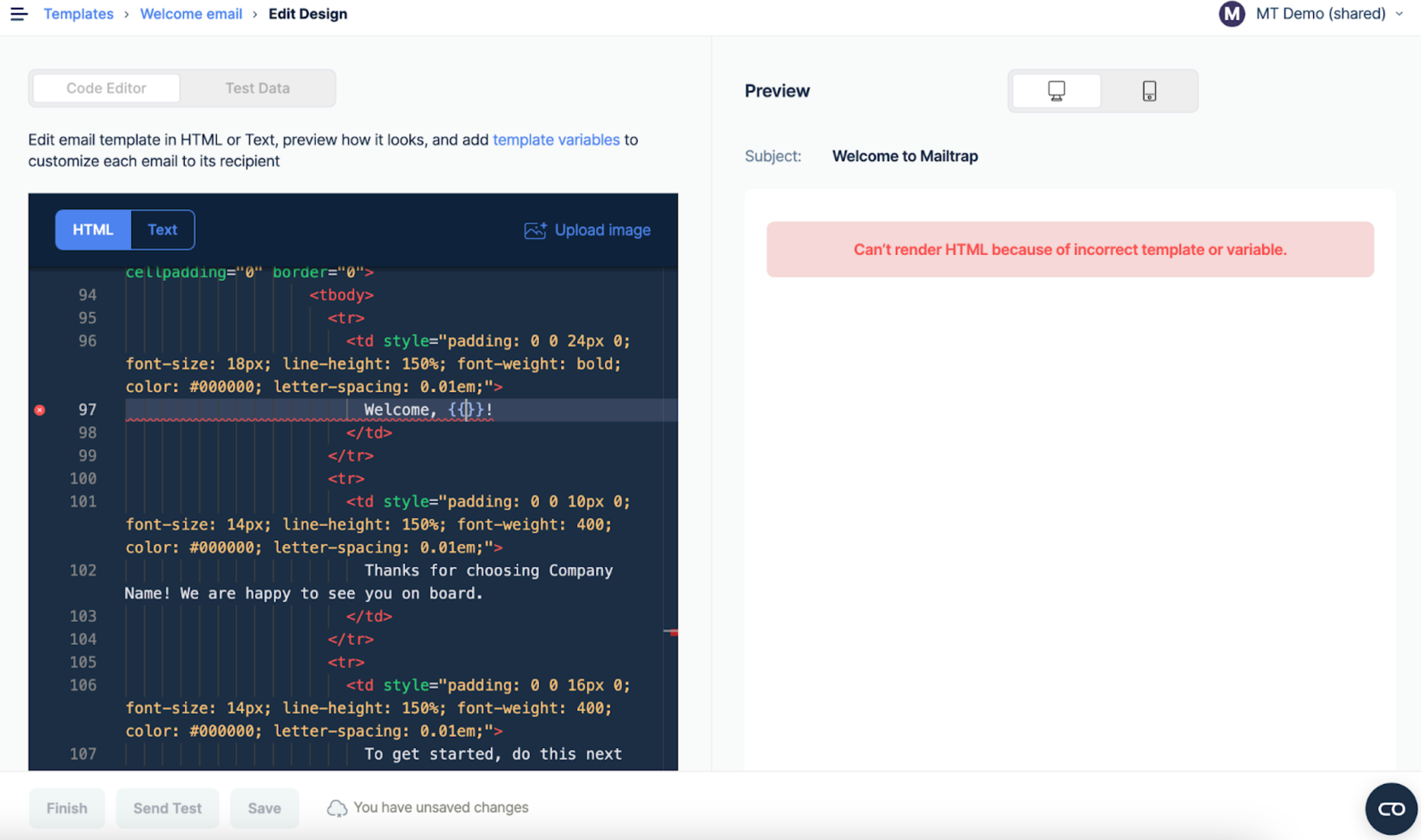
If your template has an error, Handlebars cannot render it. You'll see an error message in the Preview tab, and the RAW code with an error will be highlighted in the Editor.
You can't save a template with errors, either. Remember that we don't validate HTML.
### **Uploading an image**
{% @arcade/embed url="" flowId="mgejv3R4azE0EEdylDVU" %}
{% stepper %}
{% step %}
Click Upload image in the upper right corner of the Code Editor.
{% endstep %}
{% step %}
Hit the Upload New button in the following menu and choose an image from your local drive (Supported formats are JPG, PNG, and GIF, and the maximum file size is 2 MB).
{% endstep %}
{% step %}
Once the image is uploaded, you will receive a confirmation notification. If the file format is unsupported or the image is too big, you will receive the corresponding error message.
{% endstep %}
{% step %}
Click the Copy URL button to copy the image URL to your clipboard, then click Template to return to the editing menu.
{% endstep %}
{% step %}
Proceed to add the image to the template body under the `` tag. You can preview it in the template as soon as the asset is added.
{% endstep %}
{% endstepper %}
### **Test Data**
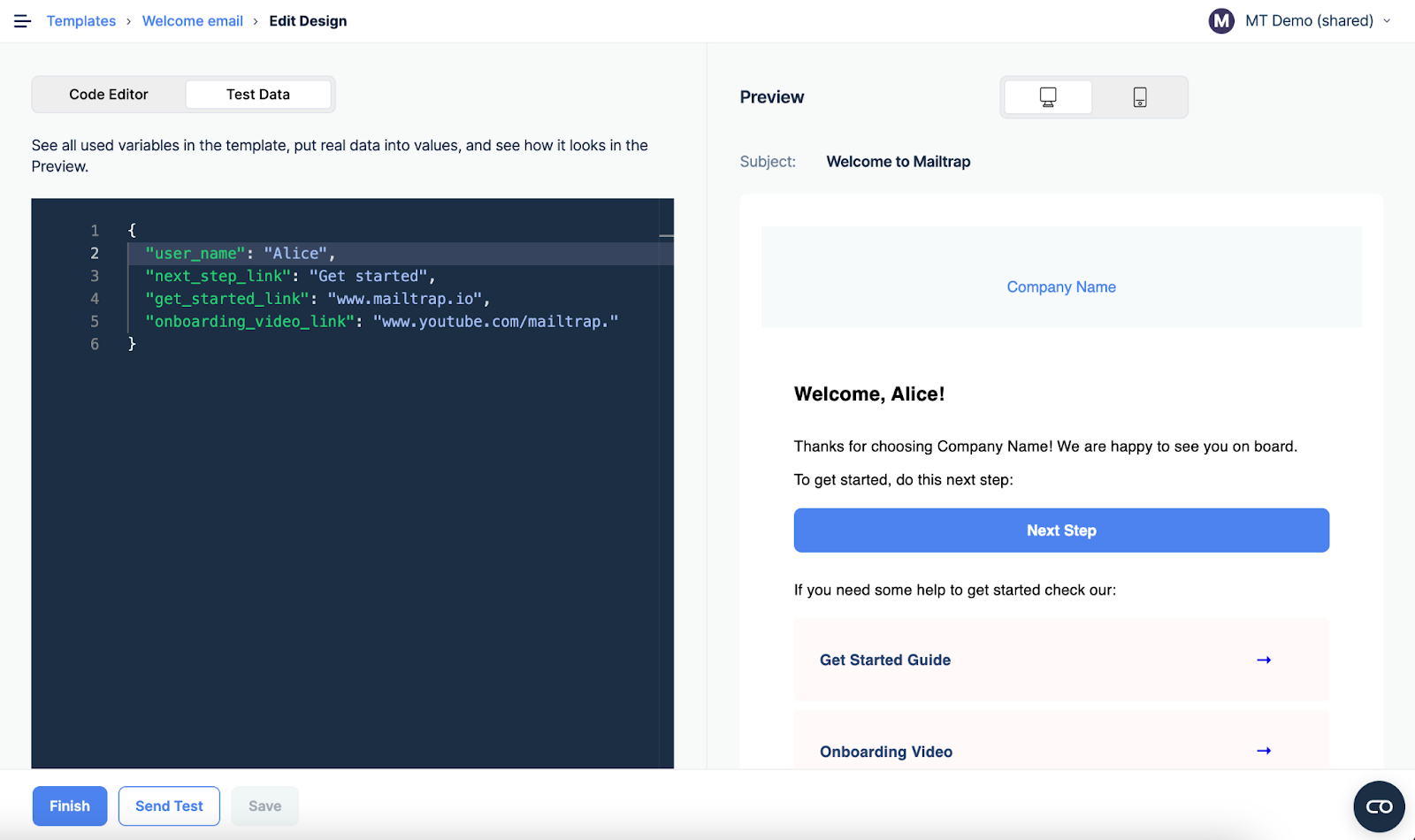
Code Editor automatically parses your template and shows all the variables found. The Test Data tab helps you preview the object variables.
Test Data tab with template variables
By default, as a value, we put a variable name and add the "Test\_" prefix.
### Send test
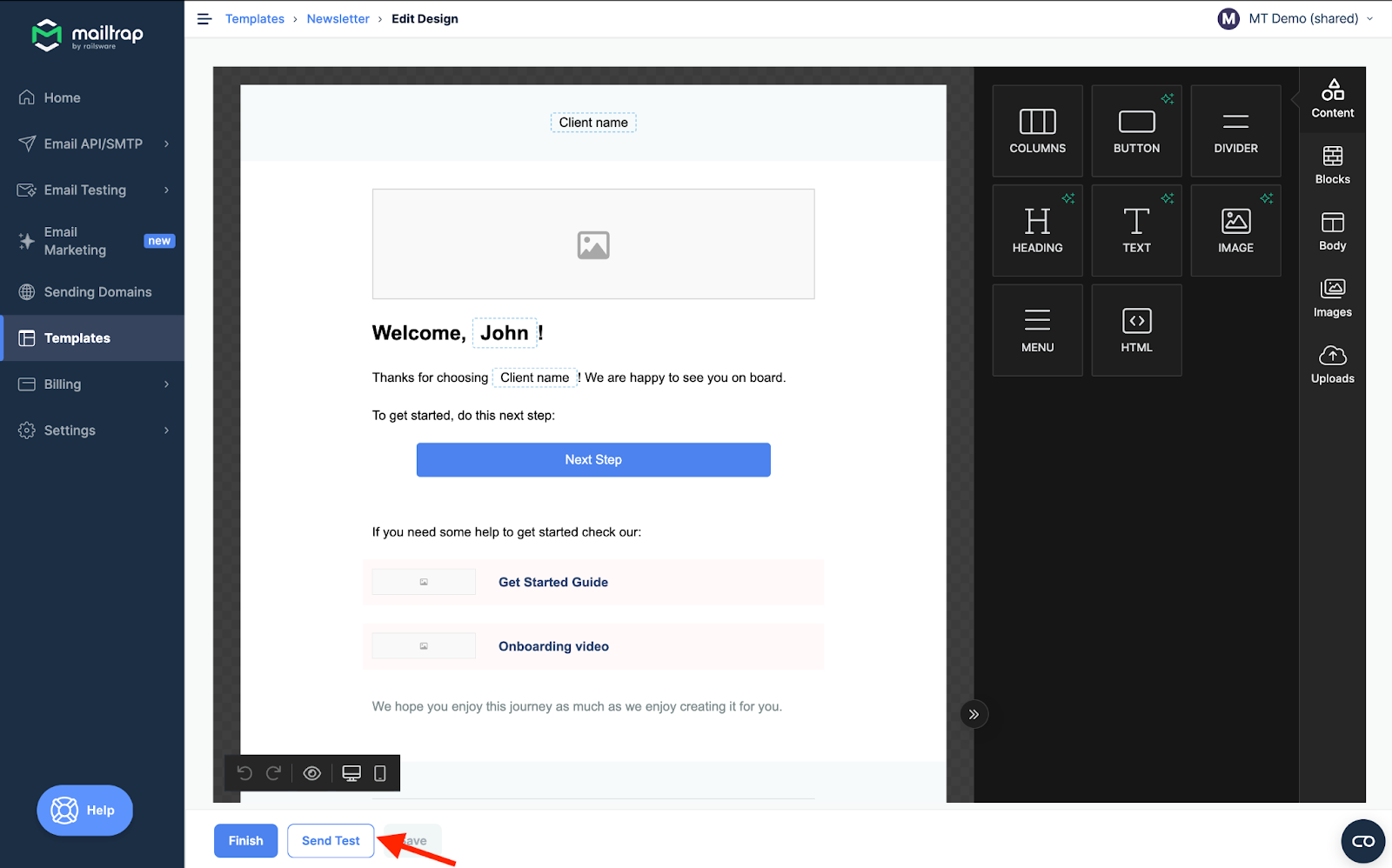
If you're using email templates in production, you can send a test email to the account owner's email address to run basic tests. Simply press the Send Test button.
Send Test button
Important Notes:
* Your domain should be verified to send a test.
* Each test email is billed over your quota.
### Next steps
* [Handlebars Guide](/email-api-smtp/email-templates/handlebars.md) - Learn how to use Handlebars syntax to add dynamic content
* [Integration](/email-api-smtp/email-templates/integration.md) - Integrate templates with Email API/SMTP
* [Debugging](/email-api-smtp/email-templates/debugging.md) - Test templates with Email Sandbox
---
# Agent Instructions
This documentation is published with GitBook. GitBook is the documentation platform designed so that both humans and AI agents can read, navigate, and reason over technical content effectively. Learn more at gitbook.com.
## Querying This Documentation
If you need additional information that is not directly available in this page, you can query the documentation dynamically by asking a question.
Perform an HTTP GET request on the current page URL with the `ask` query parameter, and the optional `goal` query parameter:
```
GET https://docs.mailtrap.io/email-api-smtp/email-templates/editing-and-customizing.md?ask=&goal=
```
`ask` is the immediate question: it should be specific, self-contained, and written in natural language.
`goal` is optional and describes the broader end goal you are ultimately trying to accomplish on behalf of the user. GitBook uses it to tailor the answer towards what is most useful for that goal.
The response will contain a direct answer to the question and relevant excerpts and sources from the documentation.
Use this mechanism when the answer is not explicitly present in the current page, you need clarification or additional context, or you want to retrieve related documentation sections.