> For the complete documentation index, see [llms.txt](https://docs.mailtrap.io/llms.txt). Markdown versions of documentation pages are available by appending `.md` to page URLs; this page is available as [Markdown](https://docs.mailtrap.io/email-sandbox/setup/sandbox-api-integration.md).
# Sandbox API Integration
Learn how to use the Sandbox API to automate testing and manage email sandboxes programmatically.
### How the API works
The testing API uses REST protocol and can return calls as JSON objects. And it's compatible with the majority of programming languages.
Mailtrap supports the following HTTPs requests:
* **POST** to create a resource
* **PATCH** to update a resource
* **GET** to get a resource or list of resources
* **DELETE** to delete a resource
### What you can do with the Sandbox API
Via the API, you can run the following commands:
* **Sandbox** — Create a new sandbox, reset the sandbox credentials and its email address; receive messages, clean one or all messages in the sandbox, mark all messages as read; manage users.
* **Project** — Create a new project, update, and delete it; manage its users.
* **Email forwarding** — Manage forwarding messages to real email addresses (available starting from the Individual plan).
* **Email content** — Inspect the email body by getting raw HTML (you can also download it), text, and detailed info about the HTML part, including a list of possible errors; receive message attachments.
* **Bcc and message headers** — Receive message headers (Bcc is also included in this section, notwithstanding that it is not a regular message header). Bcc is available starting from the Team plan.
* **Deliverability** — Get a Spam report and domain blacklisting details.
This way, you can test and verify if:
* Email sending script works.
* Email recipients are correct + Bcc testing (on the advanced plans).
* HTML template doesn't cause errors.
* Mail merge/dynamic content is replaced properly.
* Appropriate files are attached.
* Important links, such as reset password and account confirmation, work.
* Your message doesn't trigger a spam filter and your domain is not blacklisted, etc.
### How to get started with Sandbox API
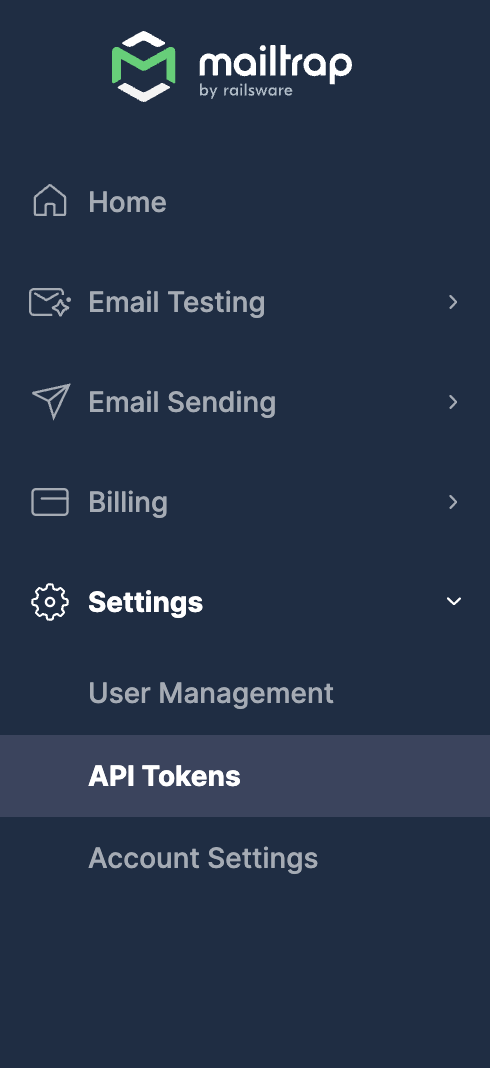
First, you need to get a token. You can find it under **Settings** > **`API Tokens`**.
To learn more about managing your tokens, please [check this guide](/email-api-smtp/setup/api-tokens.md). Then, there are a couple ways to send authenticated HTTP requests:
* Send a HTTP header `Api-Token: {api_token}` , where `{api_token}` is your API token.
* Send a HTTP header `Authorization: Bearer #{token}` , where `{api_token}` is your API token (more info: Token Access Authentication).
Go to the [API documentation](https://docs.mailtrap.io/developers/email-sandbox/send-test-emails), check samples, and experiment in the console.
---
# Agent Instructions
This documentation is published with GitBook. GitBook is the documentation platform designed so that both humans and AI agents can read, navigate, and reason over technical content effectively. Learn more at gitbook.com.
## Querying This Documentation
If you need additional information that is not directly available in this page, you can query the documentation dynamically by asking a question.
Perform an HTTP GET request on the current page URL with the `ask` query parameter, and the optional `goal` query parameter:
```
GET https://docs.mailtrap.io/email-sandbox/setup/sandbox-api-integration.md?ask=&goal=
```
`ask` is the immediate question: it should be specific, self-contained, and written in natural language.
`goal` is optional and describes the broader end goal you are ultimately trying to accomplish on behalf of the user. GitBook uses it to tailor the answer towards what is most useful for that goal.
The response will contain a direct answer to the question and relevant excerpts and sources from the documentation.
Use this mechanism when the answer is not explicitly present in the current page, you need clarification or additional context, or you want to retrieve related documentation sections.