> For the complete documentation index, see [llms.txt](https://docs.mailtrap.io/llms.txt). Markdown versions of documentation pages are available by appending `.md` to page URLs; this page is available as [Markdown](https://docs.mailtrap.io/email-api-smtp/setup/smtp-integration.md).

# SMTP Integration

Learn how to integrate your application via SMTP.

### Locating your Mailtrap credentials

{% @arcade/embed url="<https://app.arcade.software/share/Hson2pnGZl4GDpuz7HPz>" flowId="Hson2pnGZl4GDpuz7HPz" %}

{% stepper %}
{% step %}
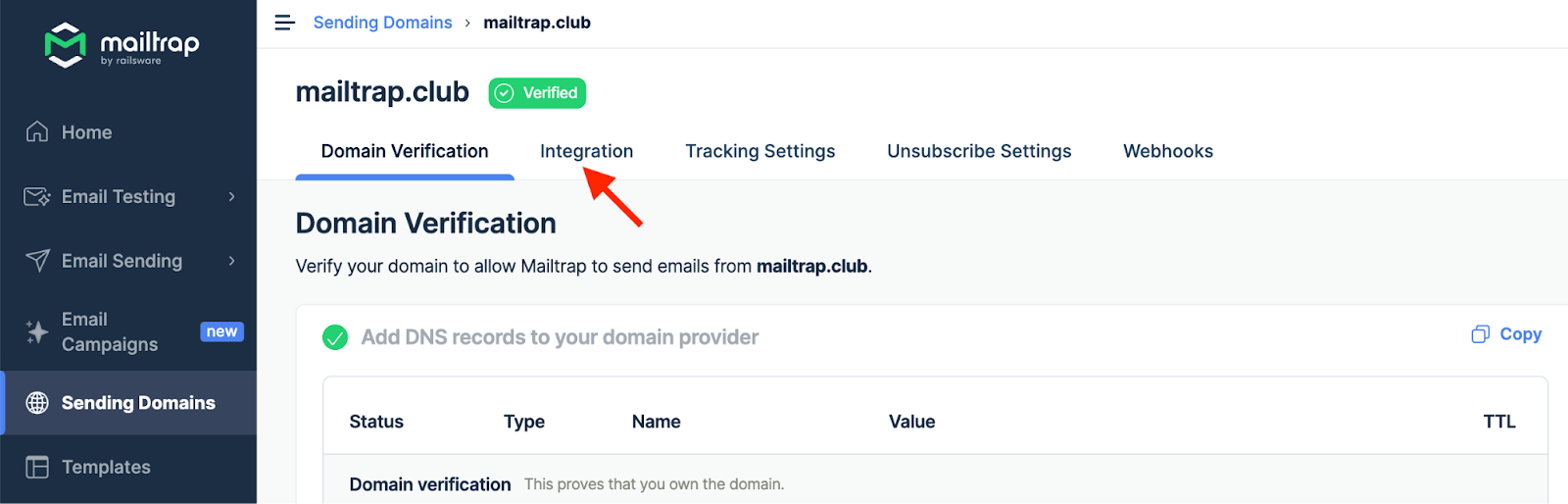
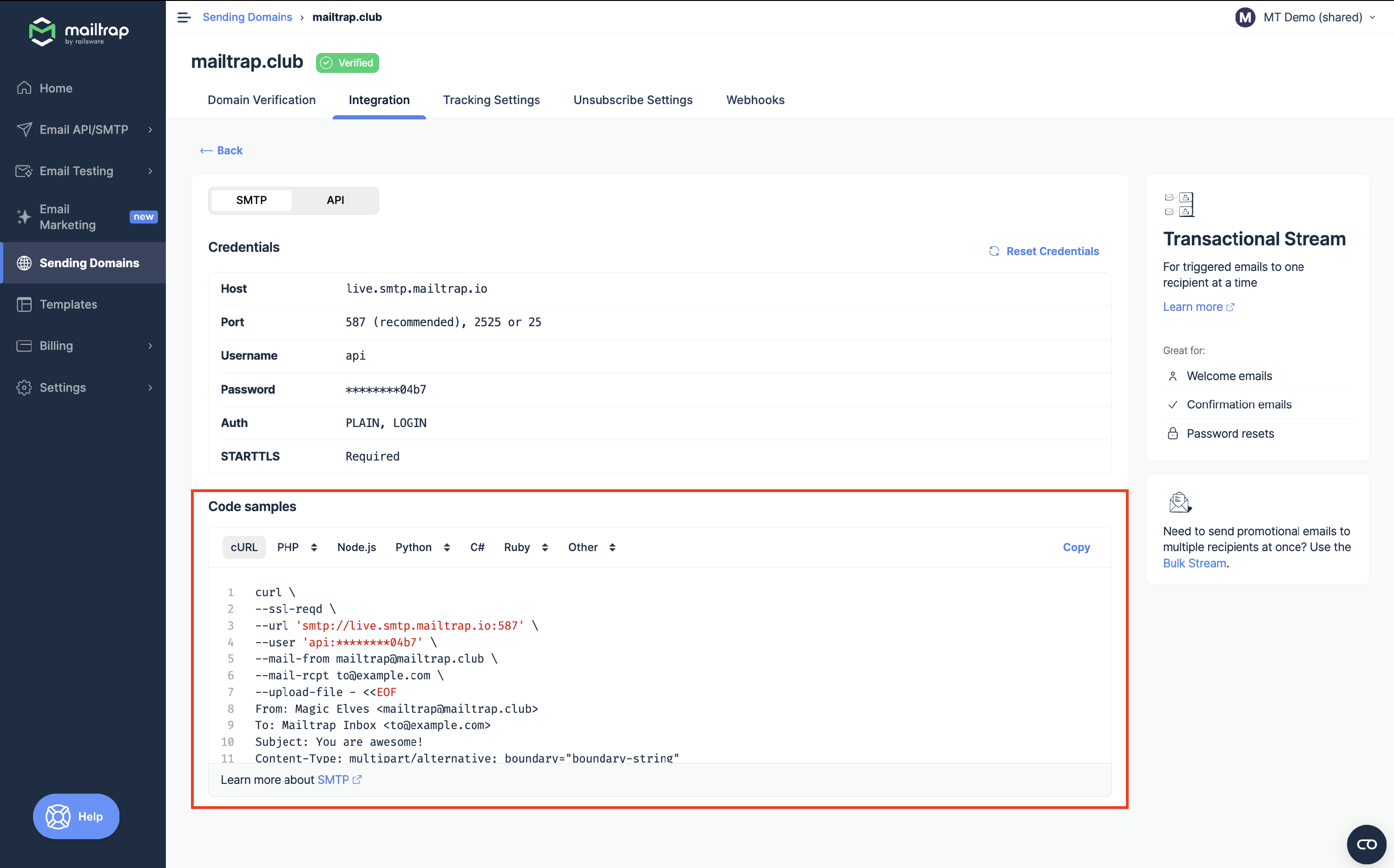
Go to the [**Sending Setup**](https://mailtrap.io/api-smtp/sending-setup) page under **API/SMTP** and choose the domain you want to send emails from. Remember that you'll be able to start sending emails once the domain is [verified](https://docs.mailtrap.io/email-api-smtp/setup/sending-domain).
{% endstep %}

{% step %}
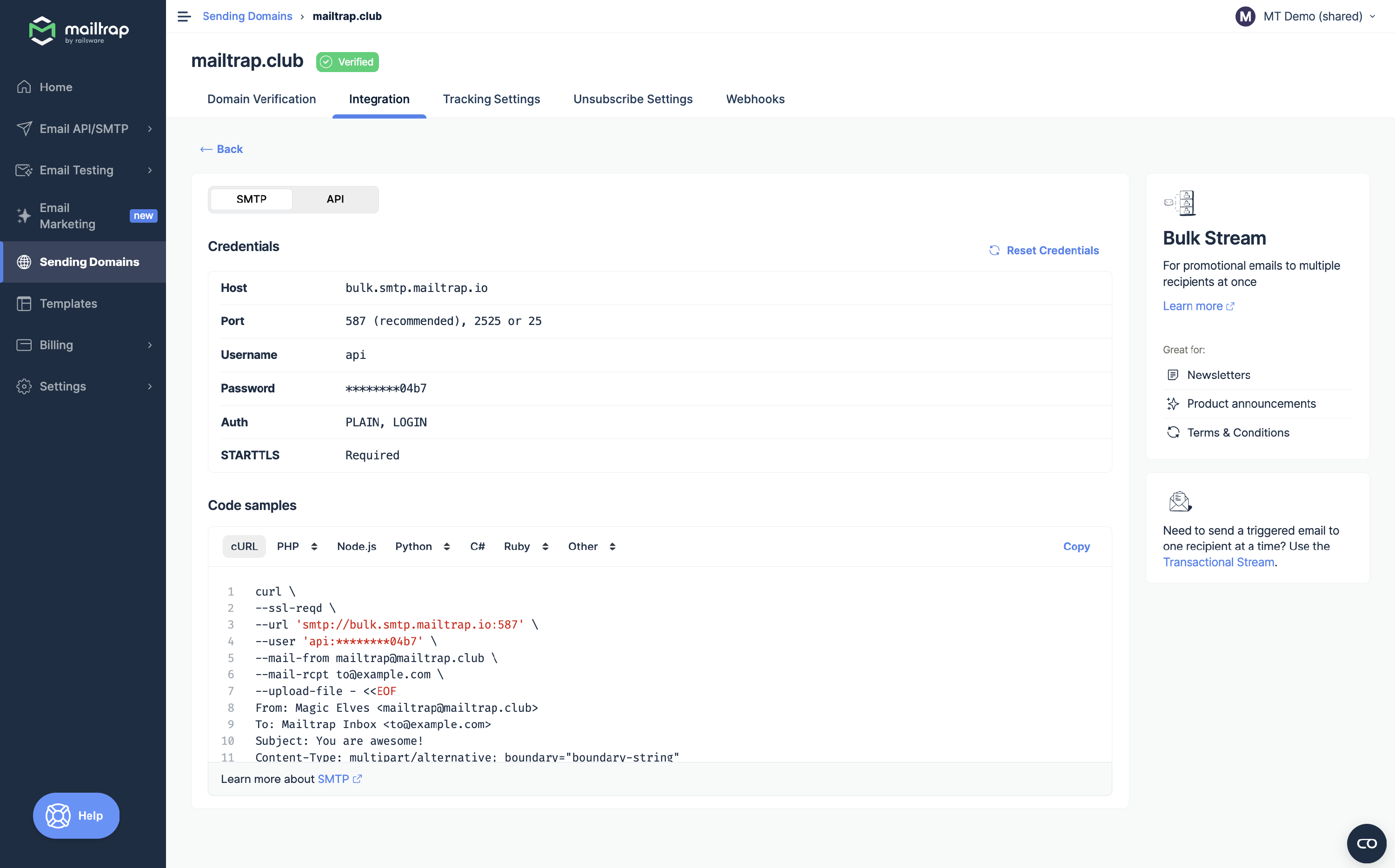
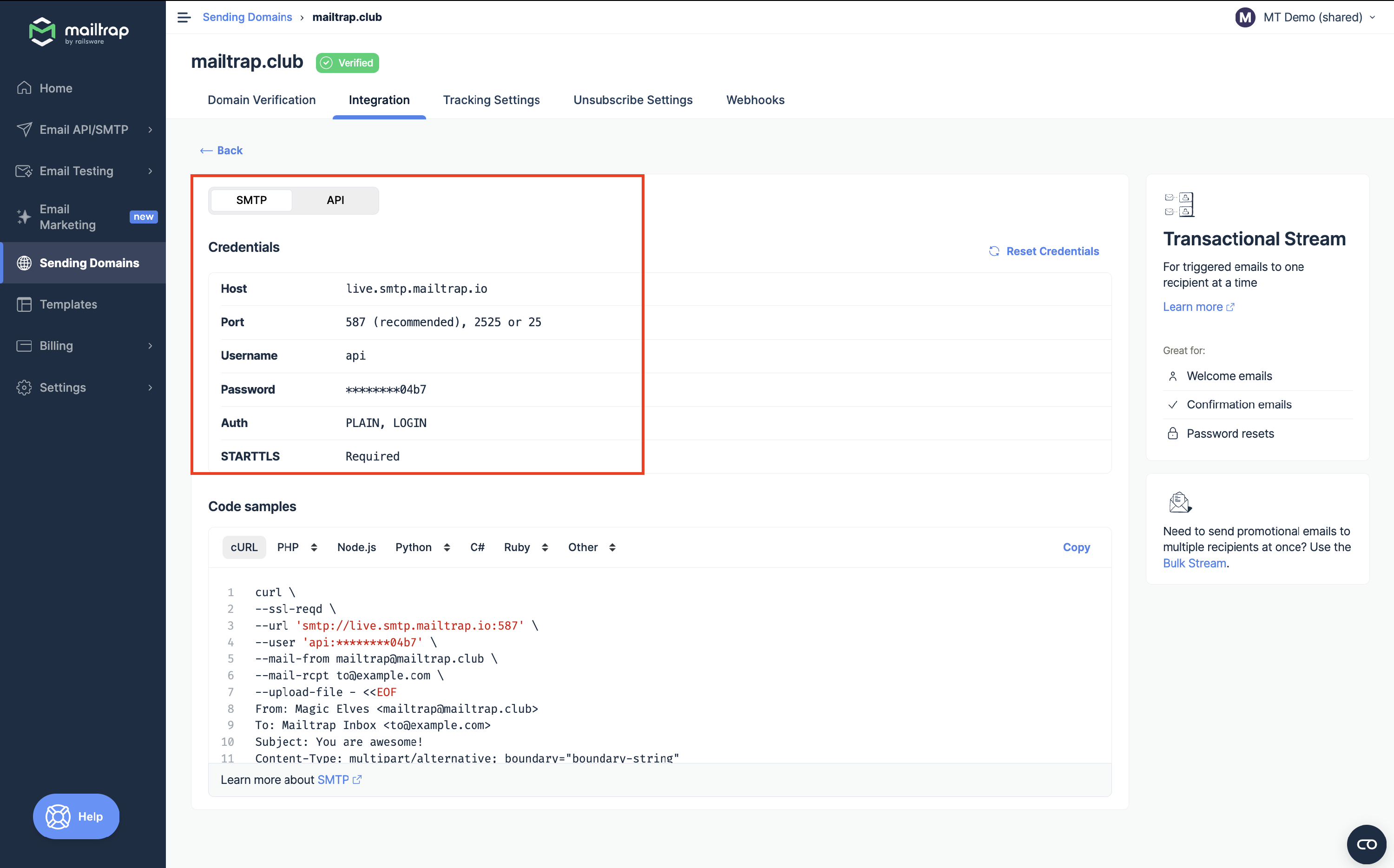
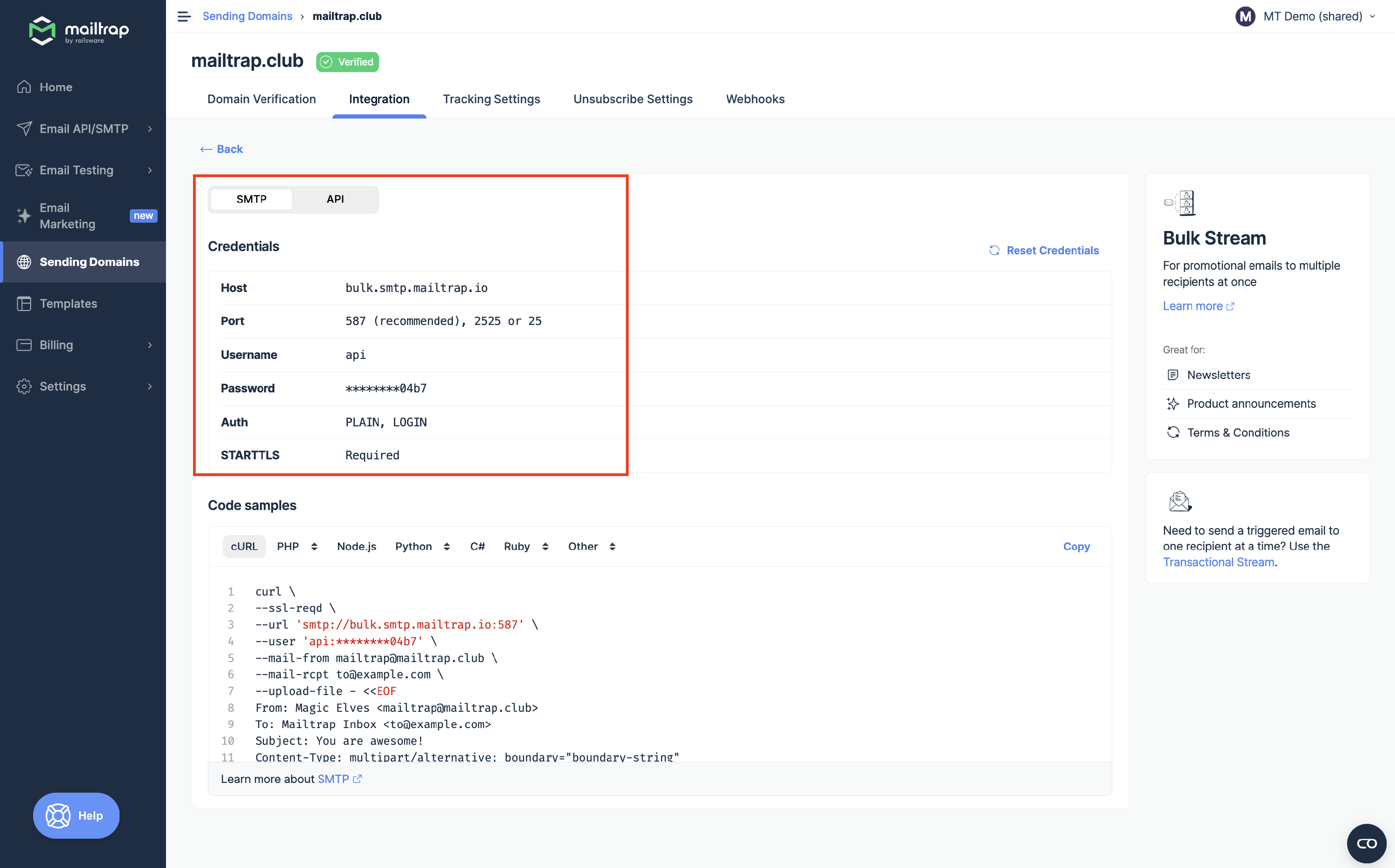
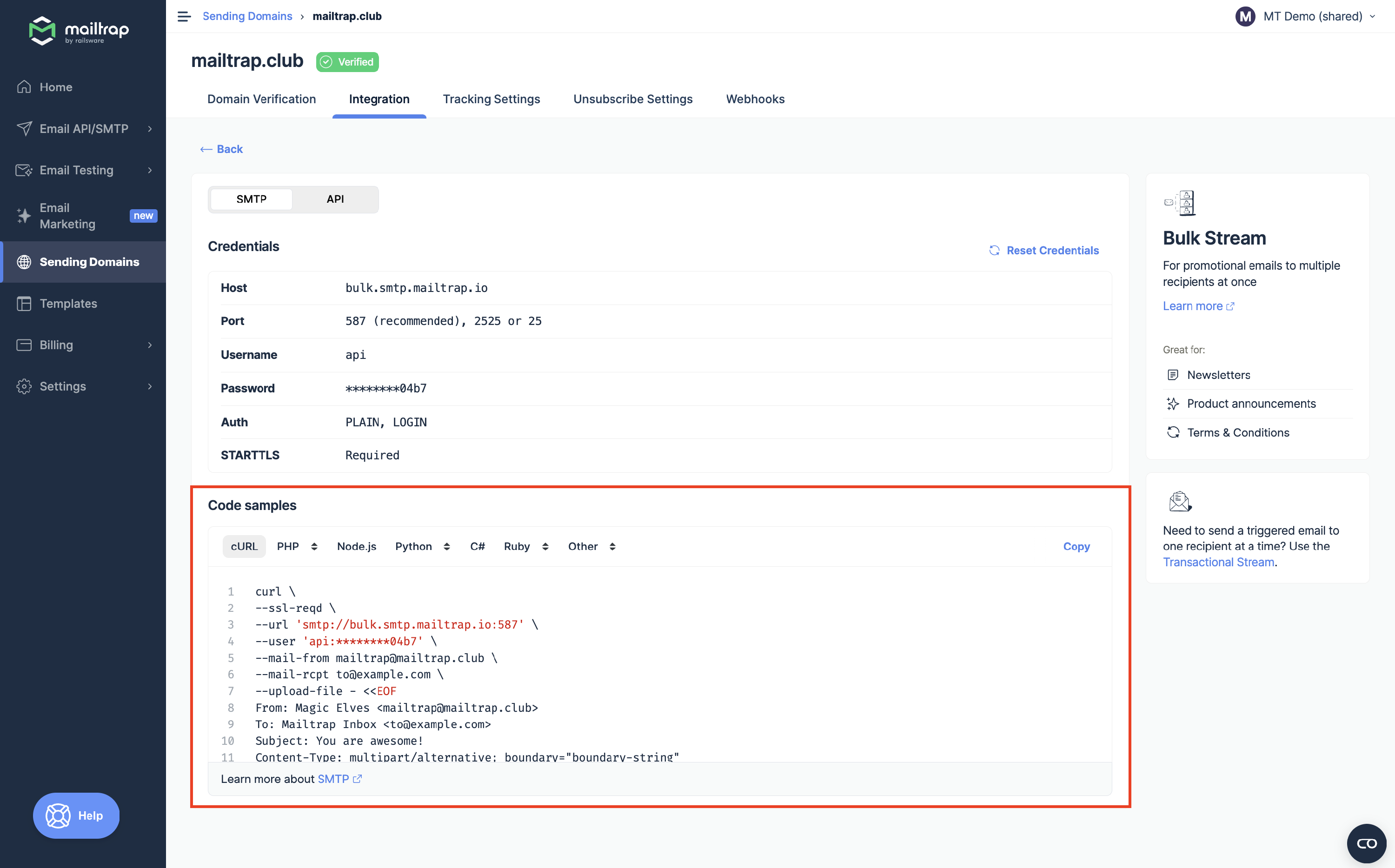
Select whether you want to send emails with the Transactional or [Bulk Stream](https://docs.mailtrap.io/email-api-smtp/setup/bulk-stream).

{% hint style="info" %}
**Transactional Stream** is used to send automated, non-promotional application emails triggered by a specific user action.

**Bulk Stream** is used to send a single marketing campaign to a large group of recipients in bulk.
{% endhint %}
{% endstep %}

{% step %}
Toggle the switch to **SMTP**, and you should see your Mailtrap credentials.&#x20;
{% endstep %}
{% endstepper %}

### Method #1. Manual SMTP configuration

If you're using a tool like WordPress or Salesforce, you can simply copy/paste credentials such as **Host**, **Port**, **Username**, and **Password**. Here are some examples:

{% tabs %}
{% tab title="WordPress" %}
If you want to send emails from WordPress, you can use one of the many plugins (e.g., WP Mail SMTP or Post SMTP). For example, if you are using WP Mail SMTP, you can just navigate to the settings page and insert the Mailtrap credentials there.

<figure><img src="/files/8dkCrU1nKM8SJA2XLOCH" alt="" width="375"><figcaption></figcaption></figure>
{% endtab %}

{% tab title="Salesforce" %}
To send emails from Salesforce, simply add your Mailtrap credentials to your Email Relay configuration, just like so:

<figure><img src="/files/JveOrbXHeI4dJFSxleS1" alt="" width="563"><figcaption></figcaption></figure>
{% endtab %}
{% endtabs %}

### Method #2. Copy/pasting code samples

If you have a programming project, you can also copy/paste one of the pre-made code samples for various programming languages and frameworks. For instance:

{% tabs %}
{% tab title="Nodemailer" %}
For Nodemailer, all you need to do is copy/paste the pre-made transporter object from Mailtrap into your main configuration file (i.e., **index.js**).

```javascript
var transport = nodemailer.createTransport({
  host: "live.smtp.mailtrap.io",
  port: 587,
  auth: {
    user: "api",
    pass: "<YOUR_API_TOKEN>"
  }
});
```

{% endtab %}

{% tab title="Laravel" %}
Similarly, for Laravel, you can just copy the code snippet from Mailtrap into your **.env** file:

```php
MAIL_MAILER=smtp
MAIL_HOST=live.smtp.mailtrap.io
MAIL_PORT=587
MAIL_USERNAME=api
MAIL_PASSWORD=<YOUR_API_TOKEN>
```

{% endtab %}
{% endtabs %}

### Verifying your configuration

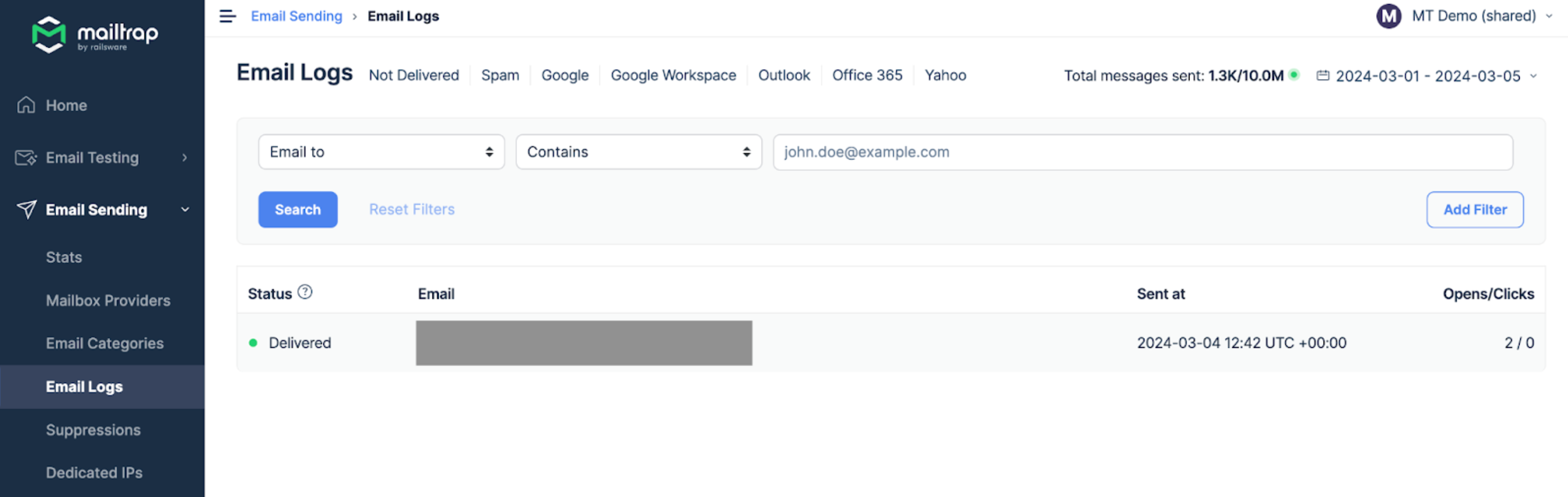
Once you add Mailtrap SMTP to your project, try sending an email from the tool of your choice or the project you're working on. If you did everything correctly, you should find the sent email in the inbox of the email address you indicated in the script. The email will also appear in the [Mailtrap Email Logs](https://docs.mailtrap.io/email-api-smtp/analytics/logs).

<figure><img src="/files/1Bx9nd2GF7ec3v3pnTs7" alt=""><figcaption></figcaption></figure>

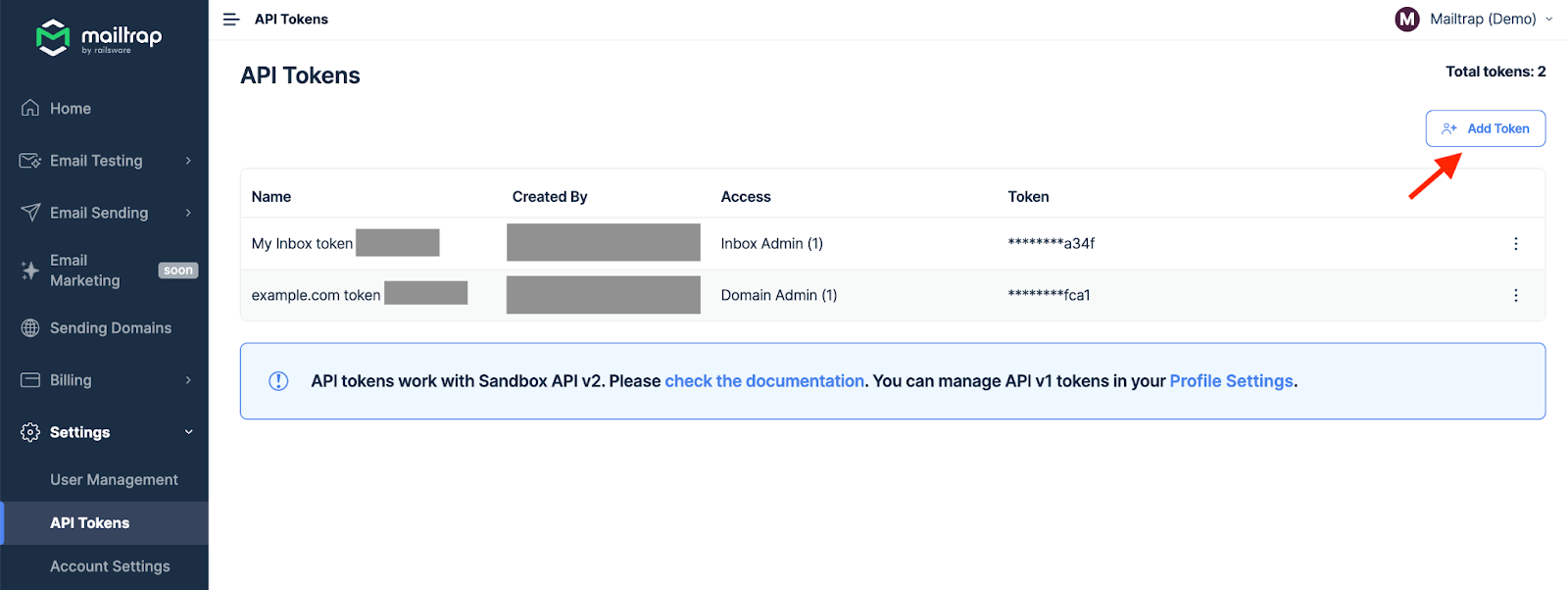
Remember that each domain has different API tokens (or SMTP passwords). You can create additional API tokens by going to **Settings** → **API Tokens** and clicking **Add Token**.

<a href="/pages/PMvbz81YHELFGmZaSgq1" class="button primary" data-icon="magnifying-glass">Learn more about API Tokens</a>

<figure><img src="/files/Fup9NlXpXHTHKTGUSyO1" alt=""><figcaption></figcaption></figure>

{% hint style="info" %}
If you need any help with SMTP integration, please, contact our support team at <support@mailtrap.io>.
{% endhint %}


---

# Agent Instructions
This documentation is published with GitBook. GitBook is the documentation platform designed so that both humans and AI agents can read, navigate, and reason over technical content effectively. Learn more at gitbook.com.

## Querying This Documentation
If you need additional information that is not directly available in this page, you can query the documentation dynamically by asking a question.

Perform an HTTP GET request on the current page URL with the `ask` query parameter, and the optional `goal` query parameter:

```
GET https://docs.mailtrap.io/email-api-smtp/setup/smtp-integration.md?ask=<question>&goal=<endgoal>
```

`ask` is the immediate question: it should be specific, self-contained, and written in natural language.
`goal` is optional and describes the broader end goal you are ultimately trying to accomplish on behalf of the user. GitBook uses it to tailor the answer towards what is most useful for that goal.

The response will contain a direct answer to the question and relevant excerpts and sources from the documentation.

Use this mechanism when the answer is not explicitly present in the current page, you need clarification or additional context, or you want to retrieve related documentation sections.